
Here is the quick answer: The easiest LMS platforms to use are:
- GoSkills (best overall for small and mid-sized teams)
- Absorb LMS (best for mid-market support)
- Canvas LMS (best mobile experience)
- Google Classroom (best free option for schools)
- TalentLMS (best for fast multi-audience setup)
- Teachable (best for solo course creators)
- iSpring LMS (best for blended learning with built-in authoring)
- SkyPrep (best for basic, no-frills course building)
Below, we compare what "easy to use" actually means, then break down the top 9 platforms side by side.
| LMS | Best for | Setup Time |
|---|---|---|
| GoSkills | Small & mid-sized teams | Under an hour |
| Absorb LMS | Mid-market with support needs | Days |
| Canvas LMS | Education & mobile learners | Days - weeks |
| Google Classroom | Schools already on Google Workspace | Minutes |
| TalentLMS | Fast multi-portal rollout | Hours |
| Teachable | Solo creators selling courses | Hours |
| iSpring LMS | Blended learning with in-house authoring | < 1 day |
| SkyPrep | First-time LMS buyers, small teams | Hours |
What is an easy-to-use LMS?
An easy-to-use LMS is a learning management system that lets administrators launch courses and lets learners complete them with minimal training, setup, or technical support. The defining traits are a clean interface, fast onboarding (typically under a day), pre-built templates, and reporting that doesn’t require a manual to read.
Why ease of use matters more than feature count
An easy-to-use LMS validates corporate training programs by driving measurable ROI because people actually use the platform. At minimum, that requires an intuitive interface, engaging course experiences, and clear analytics to track progress.
Organizations with more complex needs sometimes gravitate toward feature-rich platforms, assuming more features mean a better fit. Customization is often a genuine priority for larger organizations, but this typically comes bundled with more complexity, which only pays off if you have the technical infrastructure to manage it.
To illustrate, here's how a simple, easy-to-use LMS like GoSkills compares to a more complex platform like SAP Litmos on the dimensions that actually determine ease of use:
| Feature | GoSkills | SAP Litmos |
|---|---|---|
| Ease of setup | Always-on, cloud-based SaaS: no additional configuration is required | Cloud-based, but often requires complex integration with third-party tools like Salesforce, Zendesk, or HRIS systems. |
| Course building ease | Pre-built templates and an AI-powered course creator | Embedding custom multimedia (e.g., interactive video) requires HTML5 knowledge |
| User engagement | Bite-sized lessons and built-in gamification | Supports gamification and multimedia, but needs more setup to reach the same engagement |
| User analytics | One-click reports on time spent, progress, and upskilling | Detailed analytics, but requires configuration and training to use well |
| Integration complexity | Simple integrations, minimal technical knowledge needed | Extensive integrations (Salesforce, Zendesk) but usually need IT expertise |
| Best suited for | Small, medium, and enterprise-sized businesses that want to move fast | Enterprise compliance and professional-development programs with dedicated IT support |
This comparison underscores how much infrastructure shapes the right LMS choice. GoSkills meets most organizational needs with minimal setup, while platforms like SAP Litmos demand enterprise-level resources to deploy well.
Learn more: Enterprise LMS vs. Small Business LMS
The same pattern shows up with open-source platforms. Moodle looks simple at first, but extending it through plugins and themes typically requires PHP and MySQL proficiency — a steep ask for non-technical course creators managing quizzes, grading, and day-to-day course workflows.
5 signs an LMS is genuinely easy to use
1. Intuitive interface
For learners: a clean, simple design means less time confused and more time absorbing material — which drives faster adoption and higher completion rates.
For administrators: less time troubleshooting, simpler course creation and progress tracking, even without technical skills.
2. Quick setup
Minimal technical requirements mean training can start almost immediately — critical for small teams or anyone without dedicated IT support. Quick setup also means a faster time-to-ROI: less setup delay translates directly into faster results.
3. Strong, responsive support
Accessible support builds confidence in the platform and keeps training running smoothly when something breaks or a feature question comes up — especially important for organizations new to using an LMS at all.
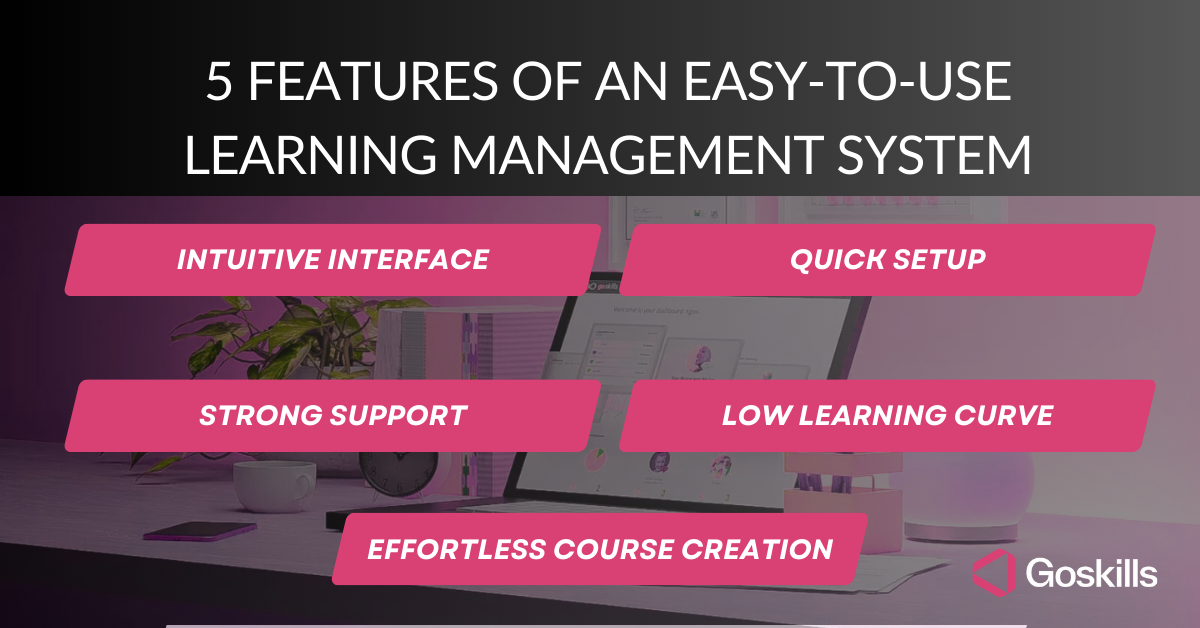
4. Low learning curve
Both administrators and learners should be productive with minimal instruction. A shallow learning curve means less time spent figuring out the tool and more time spent on the actual training content.
5. Effortless course creation
Drag-and-drop tools and pre-built templates mean instructors don't need advanced technical skills to build or update courses — and can respond quickly when training needs change.
A clunky LMS is a headache for administrators, frustrates learners, and won't deliver the training ROI you're after. A genuinely easy-to-use LMS gets you to your training goals faster, with less overhead.
The 8 best easy-to-use LMS platforms for 2026
1. GoSkills LMS — best overall for small, mid-sized, and enterprise teams
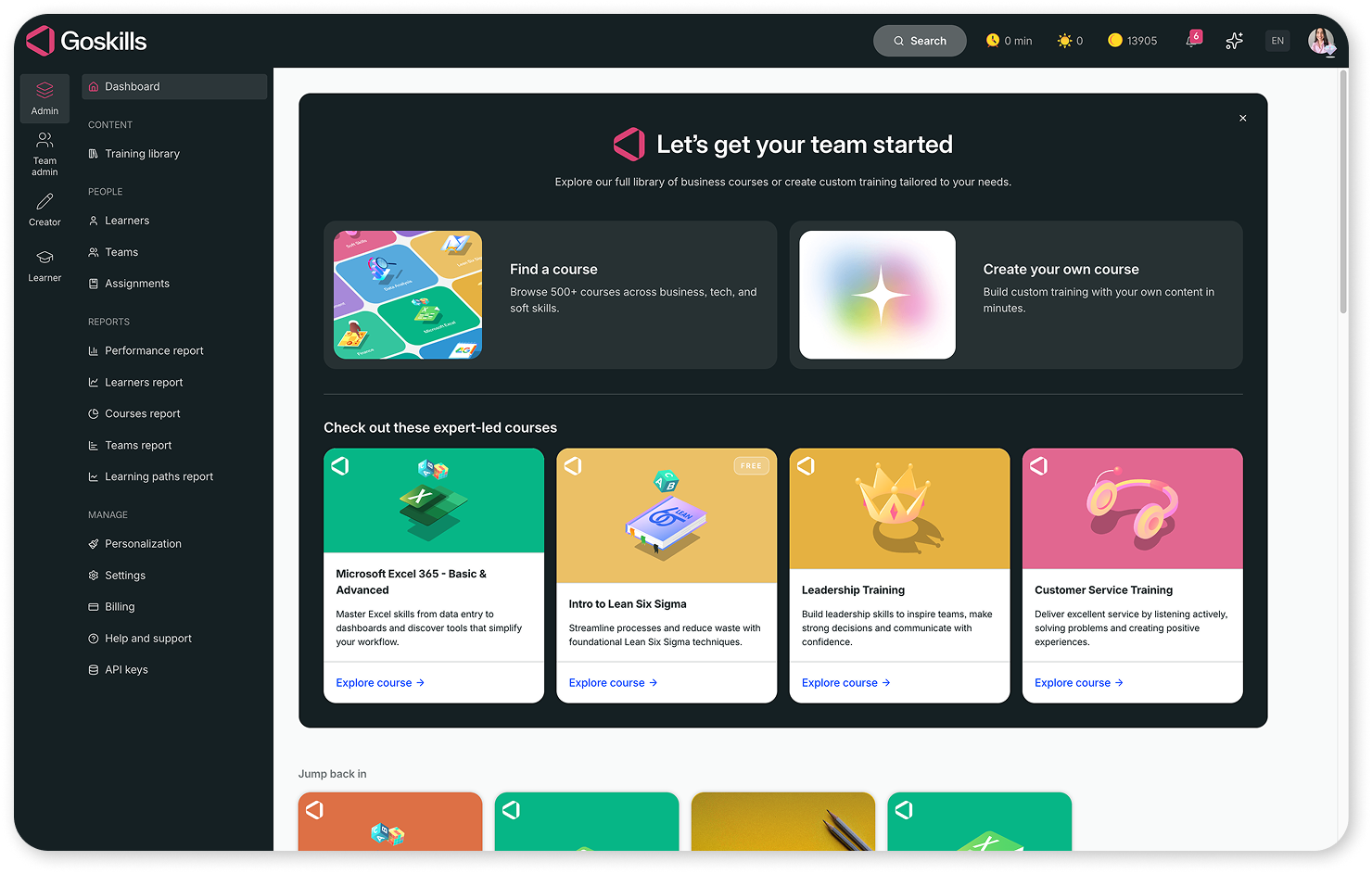
GoSkills LMS is an intuitive learning management system built especially for small to mid-sized businesses, though it scales to enterprise use. It won G2's "Easiest to Use" and "Easiest Admin" awards (Fall 2026) among independent user reviews.
Key strengths:
- Fast setup. G2's "Easiest Setup" (Spring/Winter 2026) and "Fastest Implementation" (Fall 2026) awards. Most organizations complete implementation in about an hour with the onboarding wizard, support team, knowledge base, and over 500 pre-built courses.
- Plug-and-play course building. G2's "Easiest to Use" badge (Spring/Summer/Winter 2026). The course builder includes templates, an AI content authoring assistant, easy multimedia embedding, and block-based course authoring.
- Simple administration. An admin-friendly dashboard with built-in reports for managing learners, assigning courses, and tracking progress makes GoSkills a clear choice for first-time LMS buyers.
- Clean learner interface. Learners navigate courses, complete quizzes, and track progress in a modern UI; GoSkills has been named a Leader among learning experience platforms by G2.
Best for: Teams that want to launch training the same day they sign up, without dedicated LMS admin headcount.
Experience the difference
Explore the GoSkills LMS — no credit card required. Get started in minutes!
Create your free account2. Absorb LMS — best for mid-market teams that want strong support
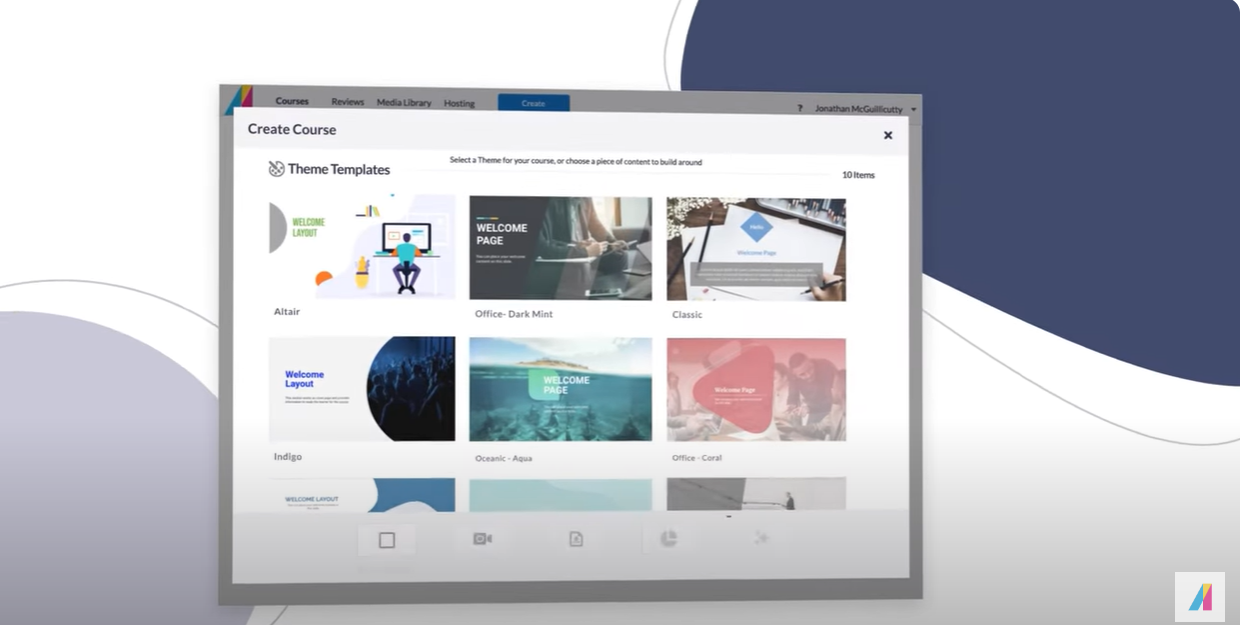
Absorb LMS pairs a clean, intuitive interface with a wide pre-built course content library, backed by detailed onboarding support.
Key strengths:
- Sleek, easy-to-navigate design for learners
- Comprehensive implementation support
- Large pre-built course content library
Best for: Mid-sized businesses that want an easy learner experience but expect to lean on vendor support during rollout.
3. Canvas LMS — best for mobile-first and education-adjacent teams
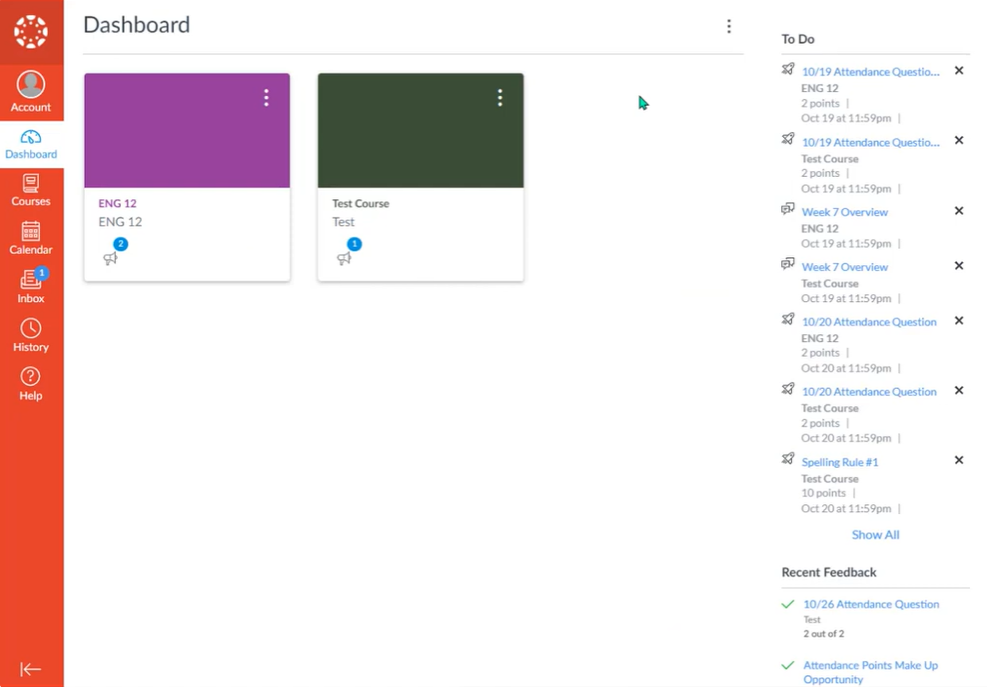
Canvas is widely used in both education and corporate training, known for a modern interface and one of the best mobile experiences in the category.
Key strengths:
- Strong mobile access on any device
- Simple drag-and-drop course creation
- Discussion boards and peer-to-peer collaboration tools
Best for: Educational institutions and businesses that want a modern, mobile-friendly platform. Larger organizations may need more admin support to run it at scale.
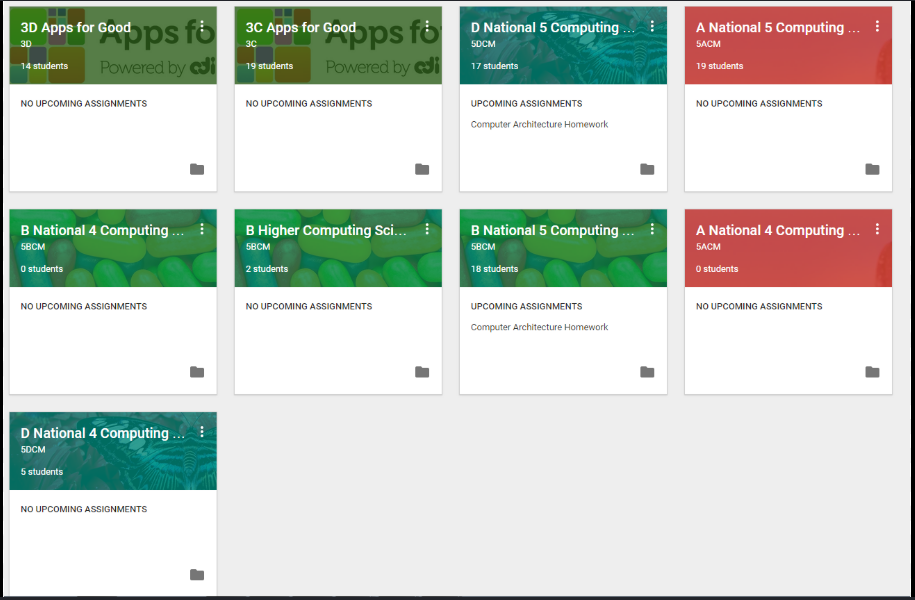
4. Google Classroom — best free option for schools already on Google Workspace
Google Classroom simplifies creating, distributing, and managing educational content, and integrates directly with Docs, Sheets, Slides, and Drive.
Key strengths:
- Seamless Google Workspace integration
- Minimal learning curve. Usable with almost no training
- Free as part of Google Workspace for Education
Best for: Schools and small teams already living in Google Workspace; not built for advanced analytics or large-scale corporate training.
5. TalentLMS — best for fast, multi-audience rollout
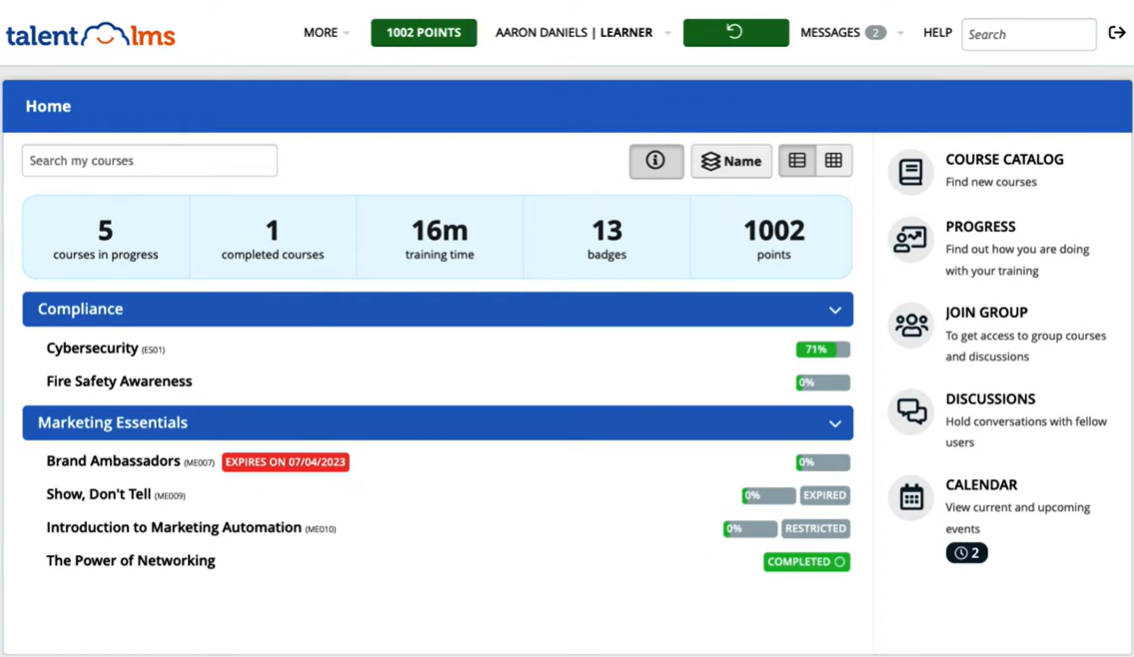
TalentLMS is a cloud-based platform known for simple setup and an easy-to-use interface, popular with small and medium-sized businesses that need to train more than one audience.
Key strengths:
- Customizable, mobile-friendly portals
- Drag-and-drop course creation
- Separate branded portals for employees, partners, or customers under one account
Best for: Businesses training multiple distinct audiences that want each group to have its own portal without added complexity. Larger programs may need more admin support.
6. Teachable — best for solo creators selling courses
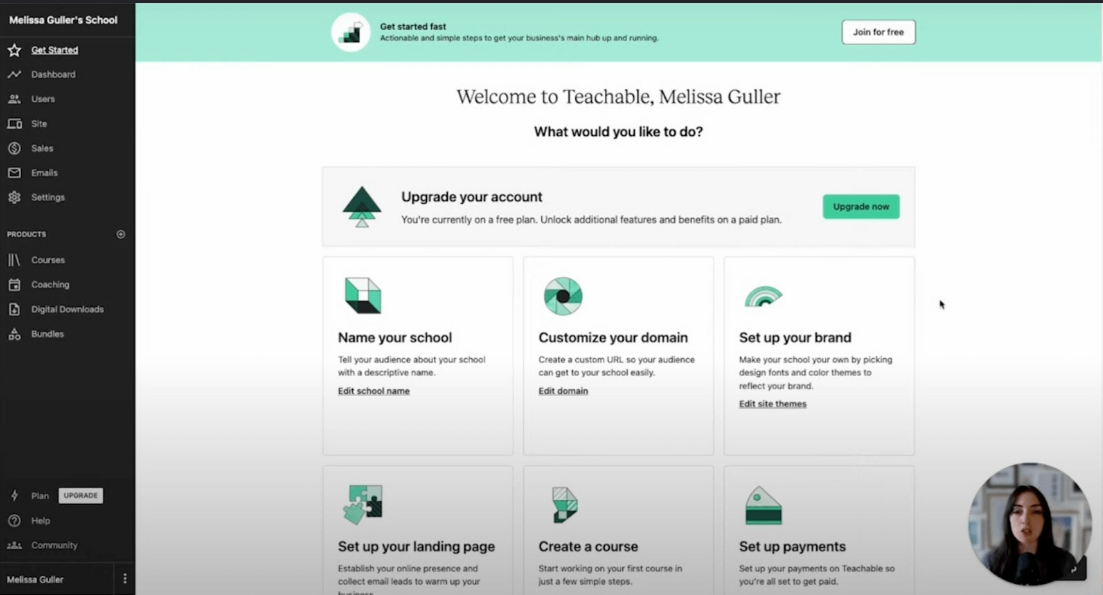
Teachable specializes in helping individuals and small businesses create and sell online courses, with an easy-to-navigate interface for both creators and learners.
Key strengths:
- Intuitive course builder, even for non-technical users
- Built-in ecommerce tools to monetize content
- Simple browsing and enrollment experience for learners
Best for: Solo entrepreneurs and small businesses monetizing courses directly; larger organizations may find the feature set limiting compared to GoSkills or Absorb.
7. iSpring LMS — best for blended learning with built-in authoring
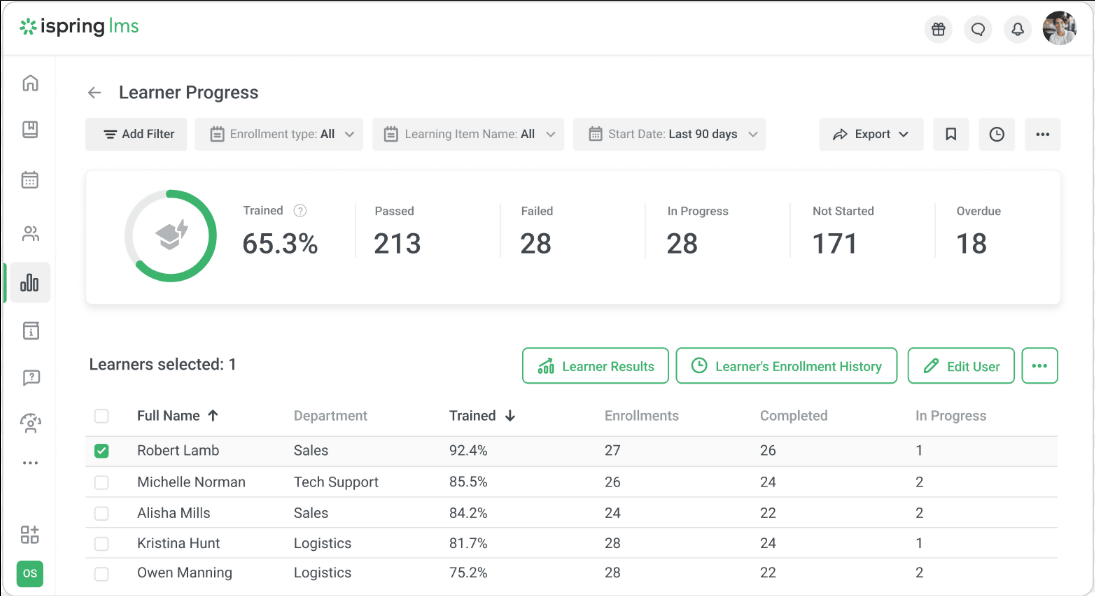
iSpring LMS pairs an easy-to-use cloud interface with a full-featured built-in authoring tool, so course creation and delivery live in one place.
Key strengths:
- Built-in authoring suite for interactive courses (quizzes, video, simulations)
- Native mobile app with offline access
- Available in 20+ languages
Best for: Teams that want to build and deliver blended training (online + live sessions) without a separate authoring tool.
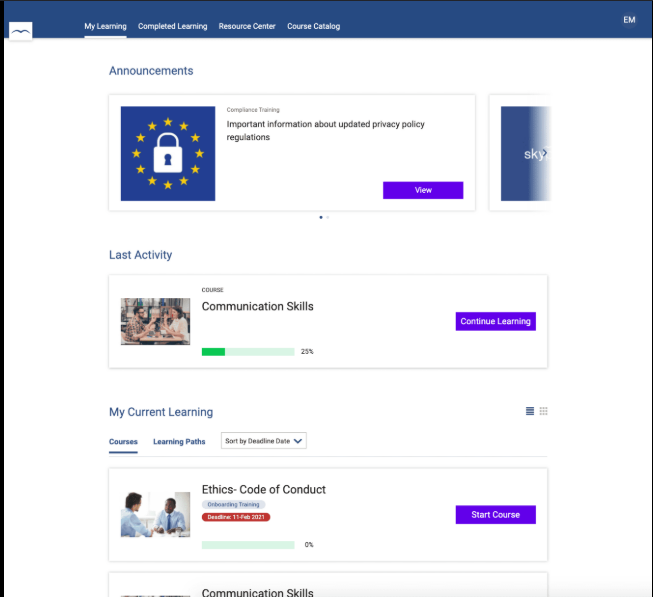
8. SkyPrep — best for basic, no-frills course building
SkyPrep is built for teams that have never used an LMS or course builder before, with a simple interface designed to eliminate confusion.
Key strengths:
- Plain, block-based course authoring
- Straightforward custom report builder
- Integrations with Stripe, PayPal, Google Apps, and Zoom
Best for: Small teams buying their first LMS who want something inexpensive and low-friction, where long-term scalability is not a priority.
Balancing simplicity and scalability
The right LMS aligns with your team's technical capacity and long-term goals. Enterprise businesses with robust IT teams can manage complex, highly customizable platforms. Smaller organizations usually benefit more from simple, user-friendly systems that minimize administrative overhead and let teams focus on delivering training, not managing software.
That said, it's worth avoiding an LMS that's too simplistic to scale with you. The best fit balances ease of use today with room to grow — which is exactly what the exercise below is designed to help you figure out.
Exercise: Assess your team's LMS needs
1. Define your training goals
- What are the primary objectives? (E.g. onboarding, skill development, compliance, or upskilling)
- Are these short-term or part of a long-term strategy? Short-term favors a simple LMS; long-term makes scalability essential.
2. Evaluate your team's size and resources
- 2-200 users: a straightforward LMS like GoSkills likely covers your needs.
- 200+ users: look at platforms with more advanced scalability features.
- Limited IT staff: prioritize a user-friendly, cloud-based LMS. Robust IT team: customizable options like SAP Litmos or Moodle become viable.
3. Assess content and compliance needs
- Bite-sized or interactive modules: platforms like GoSkills or TalentLMS fit well.
- Industry-specific compliance: look at niche platforms tailored to your sector (healthcare, finance, etc.).
4. Consider your budget
- Small budgets: SaaS platforms with minimal upfront cost.
- Larger budgets: enterprise-class features and scalability become worth the spend.
- Watch for hidden costs in customization, integrations, or add-ons.
5. Plan for future growth
- If growth is likely, choose an LMS built for flexibility and scale, and avoid overly simplistic systems that could hold you back later.
FAQ: Easy-to-use LMS platforms
What is the easiest LMS to use? GoSkills is generally considered one of the easiest LMS platforms to use, winning G2's "Easiest to Use" and "Easiest Setup" awards. Most organizations complete setup in about an hour, thanks to pre-built templates, an AI course creator, and an onboarding wizard.
What makes an LMS easy to use? An easy-to-use LMS combines an intuitive interface, fast setup with minimal configuration, responsive support, a low learning curve for both admins and learners, and drag-and-drop or template-based course creation.
Is there a free easy-to-use LMS? Google Classroom is free for schools on Google Workspace for Education. Most corporate-focused platforms, including GoSkills, offer free trials rather than a permanent free tier, since ongoing support and hosting come with real costs.
What's the easiest LMS for a small business? GoSkills and SkyPrep are built with small businesses in mind. Both offer same-day or near-instant setup and pricing structured around smaller teams, without the IT overhead of enterprise platforms like SAP Litmos or Moodle.
Do simple LMS platforms sacrifice features for ease of use? Not necessarily. Modern easy-to-use platforms like GoSkills pair a simple interface with AI-assisted course creation, gamification, and built-in reporting. The difference from complex platforms is mainly in setup and configuration overhead, not in whether core features exist at all.
Ease of use is a critical factor when choosing an LMS, but it isn't the only one. For a full breakdown of what to evaluate, see our guide on choosing an LMS.
Choosing the LMS That’s Best For You
Learn how to evaluate learning management systems against your unique needs.