
The best LMS for small business is one that offers zero-fee implementation, AI-powered course creation, and a ready-to-use content library. The real differentiator? Time-to-value: a platform your team can launch and use in hours, not weeks.
Running a small business means every hour counts. When you need to onboard a new hire, close a skills gap, or roll out compliance training, you can’t afford to spend weeks configuring software or waiting for an IT team that doesn’t exist. That’s why choosing the right learning management system (LMS) is one of the most important operational decisions you’ll make.
If you’re a lean team of 10, 50, or even 200 people, you need something different. You need an LMS for small business that is fast to launch, easy to manage, and actually used by your employees.
This guide walks you through exactly what to look for and what to avoid, so you can choose the best LMS for small business with confidence.
Does a small business really need an LMS platform?
This is the question that may cross your mind even before thinking about criteria, especially when email, shared drives, or a generic video platform might be doing the job for you right now.
The short answer is that informal training doesn’t scale and it doesn’t stick. Without a proper LMS platform, you have no visibility into who completed what, no structured learning paths, no automated reminders, and you spend far too much time chasing people.
A purpose-built LMS for small business handles all of that automatically, so you can focus on growing your team instead.
That said, not every LMS is built with small businesses in mind. Here’s the specific set of criteria you really need to pay attention to.
10 things to look for when choosing an LMS for small business
A small business needs an LMS that is easy to start, easy to use, and easy to love. Here's what that looks like in practice:
- Fast setup
- Flexible, transparent pricing
- Contract flexibility
- Built-in course library
- AI-powered course authoring
- Mobile-first microlearning
- Social and collaborative learning
- Simple admin management
- Automated compliance tracking
- Scalability
Find the right LMS for your small business
Learn how to evaluate LMS options against the unique needs of your small or medium-sized business.
1. Fast setup
The first test for any LMS platform is simple: can you set it up today?
Small business teams don’t have the bandwidth for multi-week rollouts. The right LMS should let you sign up, upload your logo, invite your team, and launch your first course, all without filing a single IT ticket.
That said, fast setup doesn’t mean you should be left on your own. For many small businesses, this is their first time using an LMS, so access to responsive, human support makes a real difference, especially in those early days. Look for a vendor that offers prompt, knowledgeable help when you need it.
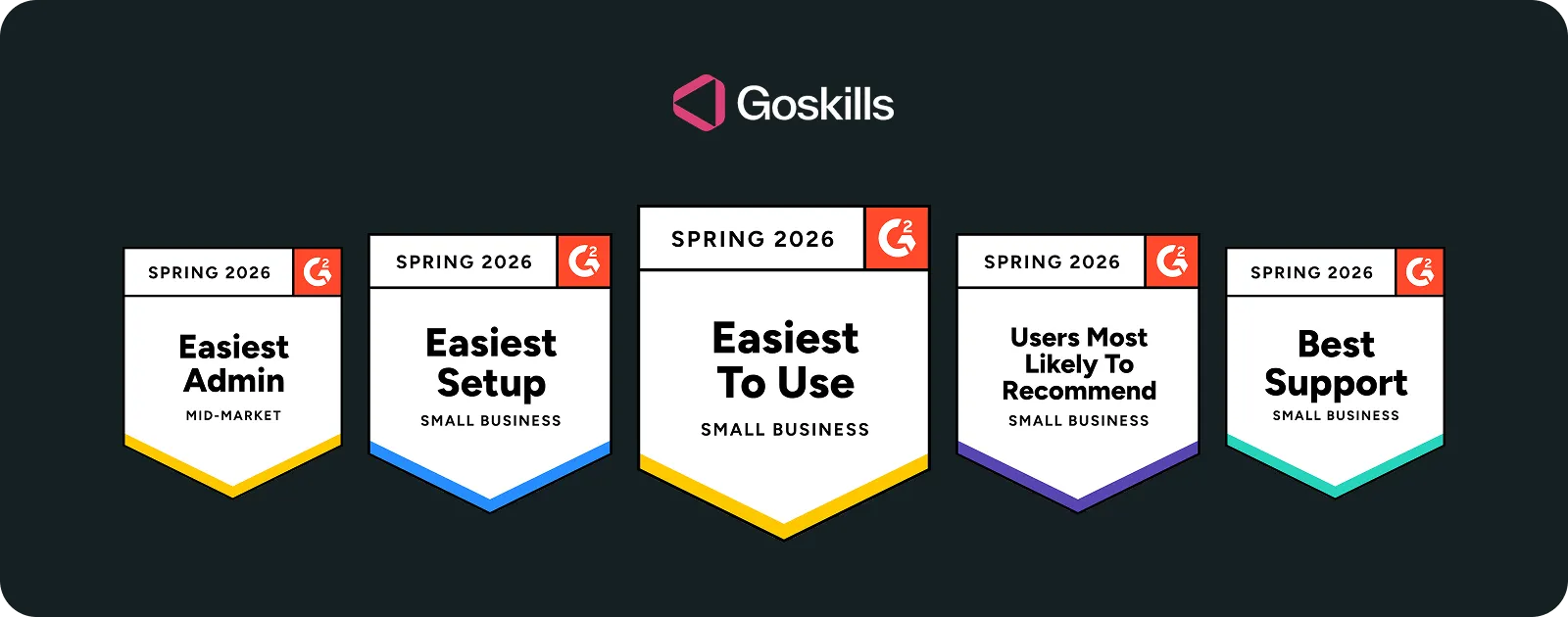
GoSkills has no implementation fee, no technical setup, and no IT team required. You can go from sign-up to your first course assignment in the same afternoon.
2. Flexible, transparent pricing
Unclear pricing is one of the biggest frustrations small business owners face when evaluating LMS software. Many vendors hide their pricing behind sales calls, require annual contracts upfront, or set seat minimums of 50+ users that price out smaller teams entirely.
What you want is straightforward: published pricing, no surprises, and a pay-as-you-grow model. Look for platforms with per-user pricing and, ideally, both monthly and manual billing options.
GoSkills pricing, for instance, starts with as few as five licenses and offers a free plan that lets administrators test the platform at their own pace, including the admin dashboard and built-in authoring tool, before inviting a single learner.
3. Contract flexibility
Many LMS vendors lock you into annual contracts with fixed seat counts, which works fine until your business hits a busy season, a hiring spike, or a slower period.
Look for a platform that lets you add or remove learners as needed, without renegotiating terms every time your situation changes.
GoSkills offers a monthly billing option with no long-term commitment, so you can scale your learner count up or down as your business evolves.
4. Built-in course library
An LMS for small business with a built-in course library is definitely a bonus. Smaller teams may not have the bandwidth to deal with complex authoring tools right from the start, so having ready-made content available from day one makes a real difference.
That said, not all course libraries are created equal. Our advice? Prioritize quality over quantity and depth over breadth.
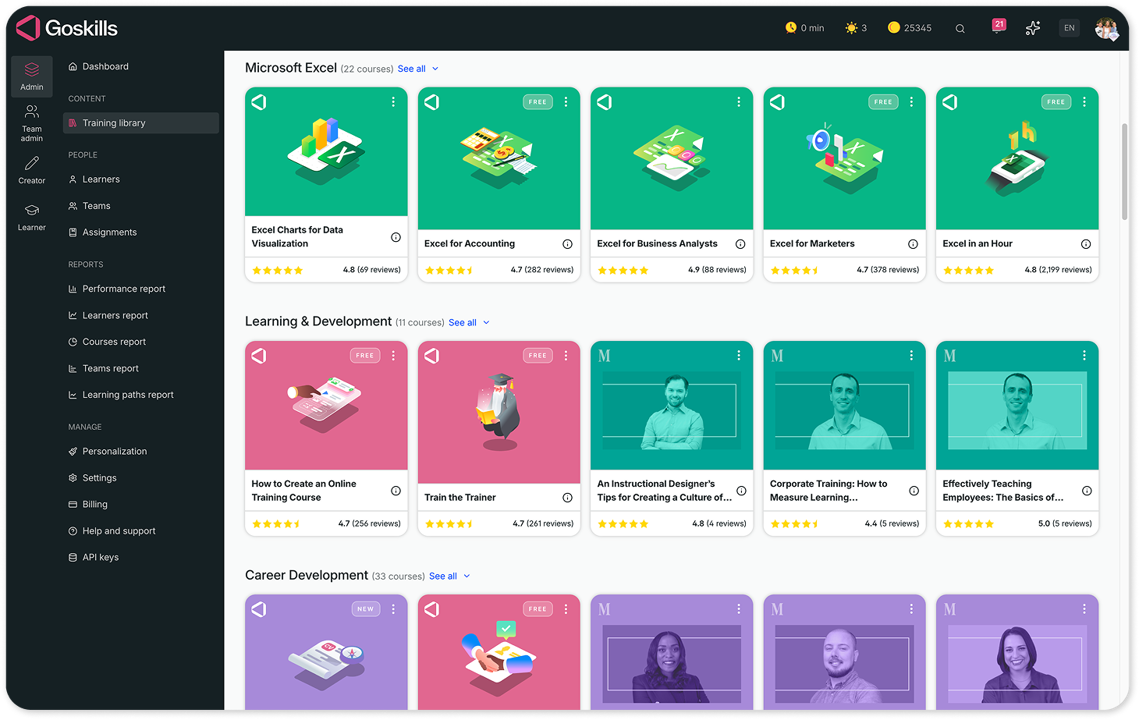
GoSkills, for example, offers 500+ expert-led courses focused on practical business and tech skills, such as Microsoft Excel, Office, project management, artificial intelligence (AI), data analysis, leadership and management, soft skills, and more. Courses are curated in-house and continuously updated, so administrators can easily assemble tailored learning paths for individual learners or teams.
Looking for an LMS built for small businesses?
Train your team, track progress, and skip the enterprise complexity.
Explore GoSkills5. AI-powered course authoring
Modern LMS platforms let you create content without assuming you are an L&D or instructional design expert, and that matters because most small businesses don’t have those roles in-house.
While basic AI assistants are a good start, the real value lies in platforms that transform your raw materials into bite-sized microlearning modules. Look for tools that let you:
- Upload existing assets such as PDFs, PowerPoints, and transcripts
- Auto-generate learning objectives, organized modules, and knowledge checks
- Digitize proprietary workflows or industry-specific compliance requirements with ease
GoSkills’ AI course creator, Genie, takes the guesswork out of the process. Its chat-based interface means anyone on your team can build or refine a course just by typing a few instructions or uploading a document — no prior experience needed.
6. Mobile-first microlearning
Your team isn’t always sitting at a desk waiting to take a course. They might be on the floor, in the field, between meetings, or working remotely. The right LMS for small business must be genuinely mobile-native, not just “mobile-responsive.”
The most effective format for busy teams is microlearning: focused, 3 to 5-minute lessons employees can complete in context, without blocking out an hour. Short, well-structured mobile learning dramatically improves completion rates and knowledge retention compared to long-form sessions.
I’ve consistently found the content to be relevant, well-organized, and easy to follow. The lessons are short and to the point, making them easy to fit into a busy schedule. Overall, I’d definitely recommend GoSkills to anyone looking to build practical skills without a ton of fluff. Whether you’re learning on your own or setting something up for a team, it’s a solid, no-nonsense platform that delivers useful training.
7. Social and collaborative learning
According to the 70-20-10 learning model, employees learn roughly 70% of their skills from on-the-job experience and peer interaction. The best LMS platforms acknowledge this and build in simple tools that facilitate that natural exchange.
Social learning features like course discussions, peer comments, and team-based learning paths make a meaningful difference in engagement, especially for remote or distributed teams.
8. Simple admin management
Managing your LMS shouldn’t require a technical background. For a small business LMS to deliver real value, it needs to be manageable by an HR coordinator, an operations manager, or the business owner.
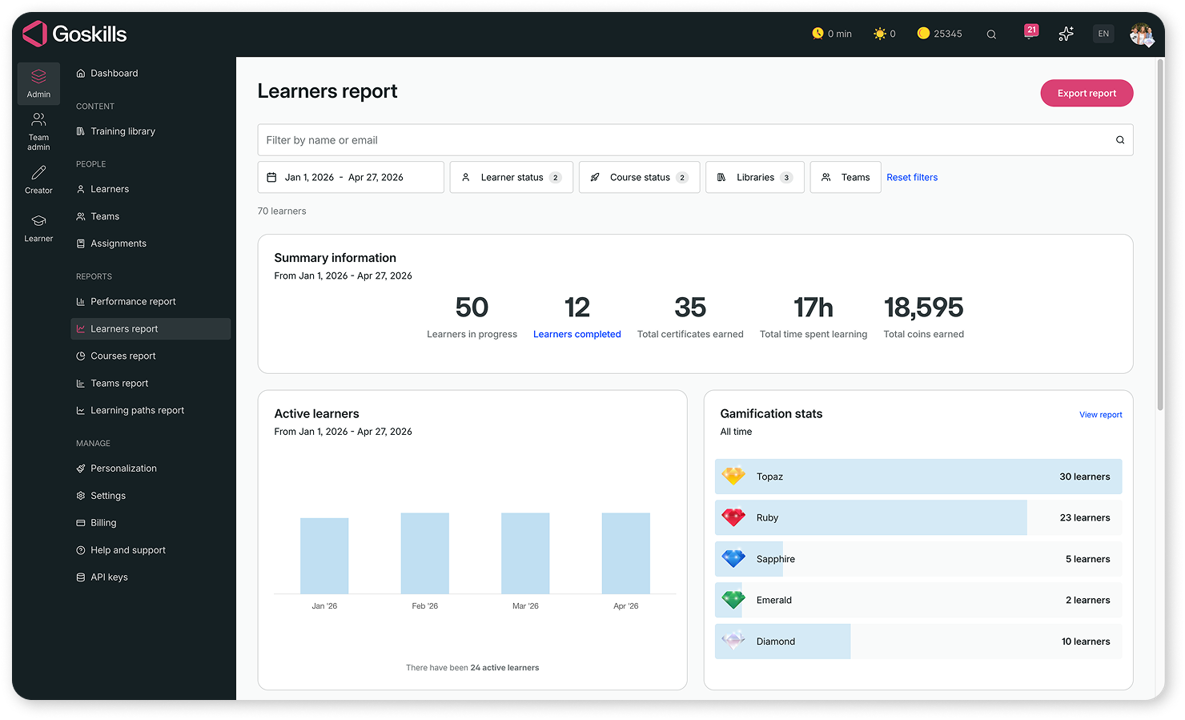
When evaluating LMS features, pay attention to how long it takes a non-technical person to add users, assign courses, and pull a progress report. Clean dashboards and intuitive user management aren’t nice-to-haves; they’re essential for a lean team.
I appreciate how GoSkills ensures an easy, quick, and intuitive setup process. The reports and layout are well-designed, and the gamification features add an enjoyable touch to the learning experience. Its scalability and extensive course offerings make it a valuable tool for our training needs.
9. Automated training tracking
Manually tracking employee training is one of the most time-consuming challenges for a small business. Knowing who has completed what, chasing those who haven't, and pulling progress reports are all tasks that belong in your LMS, not your inbox.
Look for a platform that automates learner reminders, tracks certification expiry dates, and generates progress and compliance reports with minimal effort.
10. Scalability
Your business today is not your business in two years. The right LMS needs to grow with you, allowing you to add users, unlock new features, and expand your learning programs without migrating to a new platform.
Choosing a learning management system with built-in scalability means you’re not just solving today’s training problem — you’re building a foundation for continuous learning as your team grows. Look for platforms that let you scale up and down without painful contract renegotiations.
GoSkills is built for exactly this kind of flexibility. Whether you’re a team of 5 or scaling past 500, the platform adapts without the enterprise overhead.
Why teams choose GoSkills as their small business LMS
Here’s a quick look at how GoSkills’ LMS for small teams handles the training challenges lean businesses face most often.
| THE PROBLEM | WHAT YOU NEED | How GoSkills solves it |
|---|---|---|
| “No time to build training.” | Built-in course library | 500+ expert-led courses, ready on day one |
| “Limited budget.” | Transparent, per-user pricing | Start with as few as five licenses; free plan available |
| “Manual tracking is exhausting.” | Granular reporting and automated reminders | Track learner progress and course completions down to lesson-level detail |
| “My team learns in short bursts.” | Microlearning-first design | 3 to 5-minute lessons, quizzes, gamification, and practical exercises built in |
| “I need custom training too.” | AI-powered course creator | Build a course from scratch or upload existing docs using Genie |
Frequently Asked Questions (FAQs) about LMS for small business
1. Who actually needs an LMS for small business?
Any business with five or more employees that regularly onboards new hires, manages compliance requirements, or needs to close skills gaps across the team. A practical rule of thumb: if you’re spending more than two hours a week manually emailing training materials or chasing course completions, an LMS will immediately improve your week.
2. What does an LMS for a small business typically cost?
LMS pricing for small businesses varies depending on the platform, the number of users, and the features included. While annual plans typically come at a lower per-user cost, vendors with monthly billing can be particularly attractive for smaller organizations or teams with seasonal training needs. GoSkills offers a free plan for small teams with zero implementation fees, making it one of the most accessible options for teams with tight budgets. Not sure whether a small business LMS is the right fit versus an enterprise solution? This breakdown of enterprise LMS vs. small business LMS can help.
3. Do I need an IT department to set up an LMS?
No, and if a vendor implies you do, that’s your cue to look elsewhere. Modern cloud-based LMS platforms are fully no-code. You sign up, upload your branding, and invite users via email or CSV. No servers, no technical setup, no IT ticket required.
4. Can an LMS help with employee retention?
Yes. Offering structured learning paths signals to employees that there’s a future for them at your company. Career development is consistently cited as one of the top factors in SMB employee retention. An LMS makes that investment visible and tangible.
5. What’s the difference between an LMS and a course platform?
A learning management system is a full training infrastructure. It manages users, assigns content, tracks completion, handles compliance, and delivers reporting. A course platform simply hosts content for self-directed consumption. For structured employee training, you need an LMS.
Find the right LMS for your small business
Learn how to evaluate LMS options against the unique needs of your small or medium-sized business.
Find the right LMS for your small business
The best learning management system for a small business isn’t the one with the most features. It’s the one that gets out of your way and helps your team grow.
That means zero-fee implementation, a built-in content library, AI-powered authoring, mobile-native design, and transparent pricing. GoSkills was built specifically for teams that want training to be fast, easy, and engaging, without the enterprise overhead. It handles the operational complexity of running a training program so you can focus on what actually matters: building a skilled, motivated team.
If you’re ready to move from manual, ad-hoc training to a system that works, try GoSkills free — no implementation fee, no IT team required, and your first courses ready the moment you log in.
Looking for an LMS built for small businesses?
Train your team, track progress, and skip the enterprise complexity.
Explore GoSkills