
Choosing employee training software usually comes down to one question: do you want a platform built for a dedicated L&D department, or one built for whoever ends up owning training on top of their actual job? Most comparison lists don't make that distinction clearly, so we built one that does — based on published features, verified G2 and Capterra review data, and independent comparison reports.
Quick answer: best employee training software by use case
| If you need... | Best pick | Why |
|---|---|---|
| An easy-to-use, scalable LMS with no dedicated L&D team required | GoSkills | Built-in course library, AI course creation, and automated tracking that grows with the team, with minimal setup — plus a genuine free-forever plan for unlimited learners |
| SOP and process-based training | Trainual | Turns existing documents and processes into structured training fast |
| Enterprise scale, training for multiple audiences | Docebo | AI-driven personalization and branded portals for employees, partners, and customers |
| Enterprise-grade + selling training content | Absorb LMS | Strong support scores, built-in e-commerce for paid courses, built to handle enterprise volume |
| Training multiple external audiences | LearnUpon | Multi-portal architecture for running separate branded training instances |
| Multi-branch or franchise-style administration | TalentLMS | Separate branches/sub-accounts for training multiple locations or business units from one instance |
| Training for deskless or frontline teams on a budget | Connecteam | Mobile-first, affordable, built for hourly and field employees |
| In-app software adoption, not course-based training | WalkMe | Digital adoption platform (DAP) — guides employees inside the tools they already use |
| Gamified engagement | CYPHER Learning | Points, badges, and rewards layered onto core LMS functionality |
What is employee training software?
Employee training software is a platform used to create, assign, and track training for staff — typically covering onboarding, compliance, skills development, and ongoing knowledge sharing. The term "employee training software" can cover a broad range of more specific types of platforms, like learning management systems (LMSs), learning experience platforms (LXPs), digital adoption platforms (DAPs), and a dizzying array of other terminologies. What all these systems have in common is that they are designed to organize learning in a way that is beneficial to the objectives of the organization, but may differ from one another in the method of deployment, assignment, or tracking. The right one for your organization depends on whether you're training people on concepts and processes, or on a specific tool.
Read more: LMS vs. LXP: What is the difference?
How we compared these platforms
Each platform below is evaluated on four things: ease of setup and use, verified review sentiment (G2, Capterra, Software Advice), feature depth, and who it's actually built for — since "best" depends heavily on whether you have an L&D team, a training budget, and a need to train people outside your organization.
1. GoSkills
GoSkills is built around a specific reality: most training gets run by someone in HR, ops, or admin who's doing it alongside a full-time job, not a full-time L&D team. It comes with a built-in library of 500+ ready-to-assign courses, AI tools for building custom content quickly, and automatic tracking so admins aren't chasing completions manually.
What sets it apart from other "simple" options is that it's built to scale with the team rather than needing to be swapped out, and it backs that up with a genuinely free plan for unlimited learners, not just a capped trial. It's a strong fit for small teams and stays a strong fit as those teams grow, across startups, seasonal workforces, and onboarding-heavy environments. It's a lighter fit for organizations that need to train large external audiences (customers, partners) at Docebo or LearnUpon's scale.
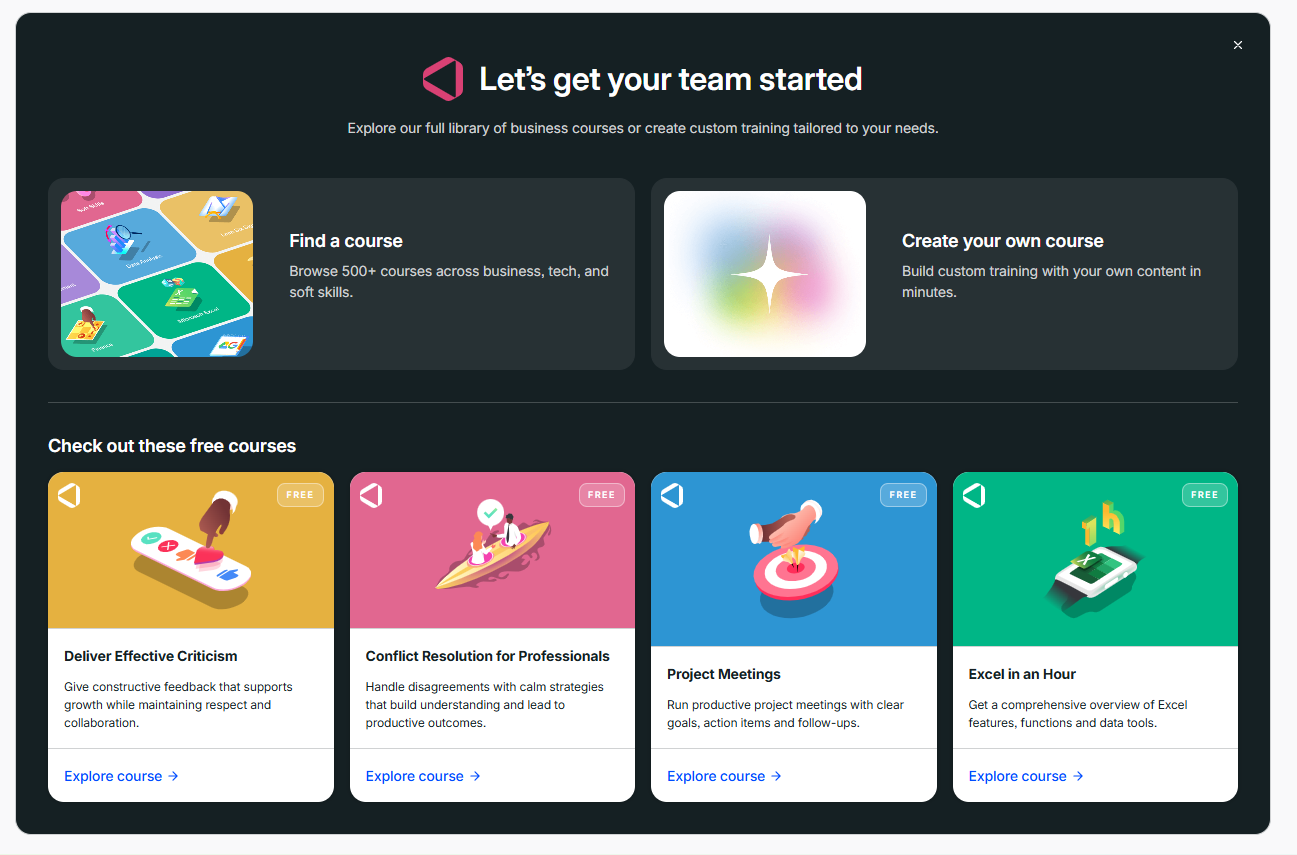
Users on review sites consistently highlight the short setup time and low learning curve as standout points, along with responsive support. These are recurring themes across its G2 "Easiest to Use" and "Easiest Setup" category wins.
Employee training software without the headache
Quick setup, easy-to-use, and affordable — no credit card required.
Learn more2. Trainual
Trainual isn't a traditional LMS. It is built specifically to turn a company's existing processes, policies, and documentation into structured, assignable training. If your biggest training gap is "we don't have anything written down," Trainual is built to solve that directly, including e-signature acknowledgment for policy sign-off.
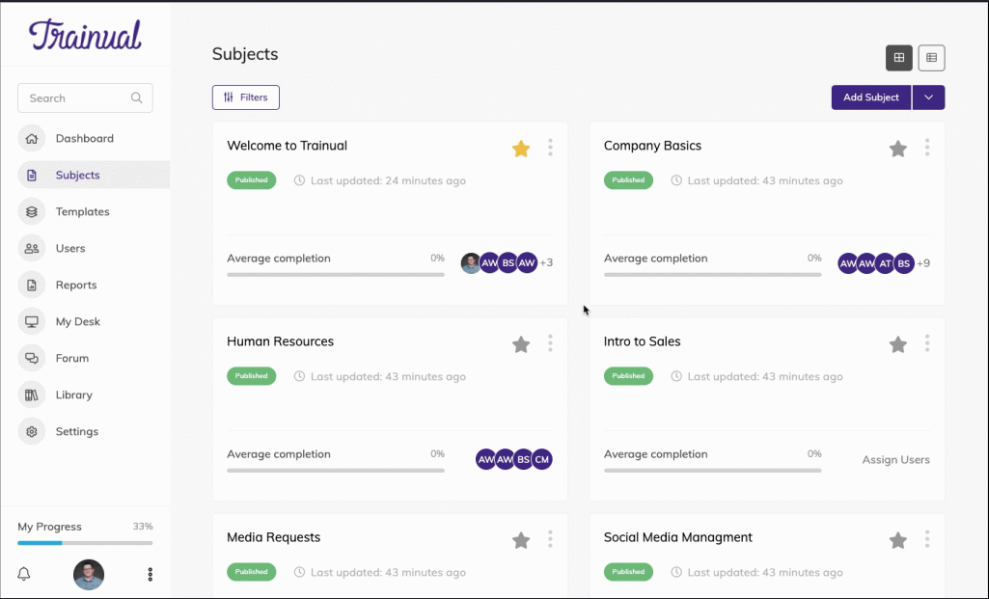
Best for: companies that need to document how the business runs, not necessarily deliver pre-built courses.
3. Docebo
Docebo is positioned as an AI-driven learning platform built for organizations training employees, partners, and customers from a single system, using branded portals per audience. It scores particularly well on AI-powered personalization and content generation.
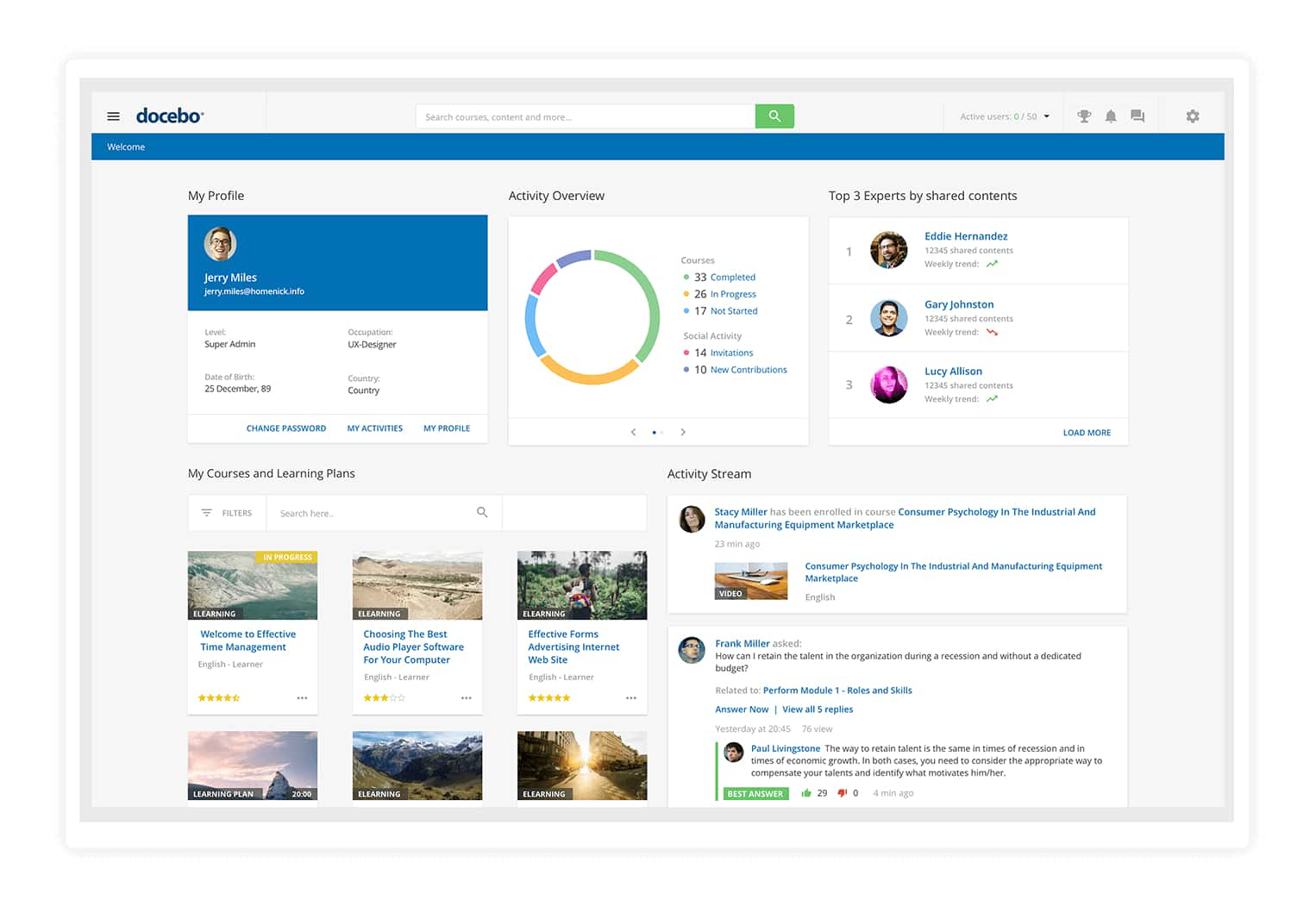
Users on review sites rate it highly for administrative depth and reporting flexibility, but a recurring critique is implementation complexity and cost relative to platforms with narrower scope. Docebo is built for scale, and the setup reflects that.
4. Absorb LMS
Absorb LMS is built to handle enterprise volume while still holding strong ease-of-use and support-satisfaction scores on G2, and it includes a built-in e-commerce layer (storefronts, coupons, bundles) that makes it a natural fit for organizations that sell training as well as deliver it internally at scale.
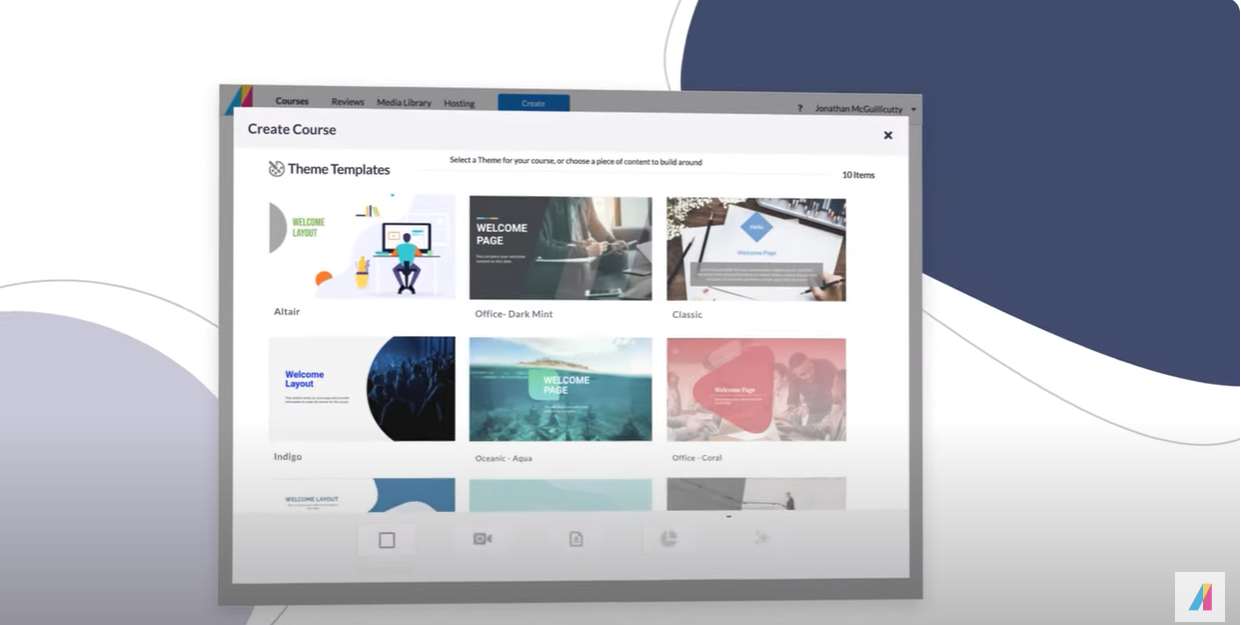
Users on review sites describe it as fast to implement with responsive support even at larger deployments, though some note reporting requires exporting to other tools for deeper analysis.
5. LearnUpon
LearnUpon's defining feature is multi-portal architecture: separate, independently branded training portals run from one admin instance. That makes it a practical option for organizations training both internal staff and external audiences without juggling multiple platforms.
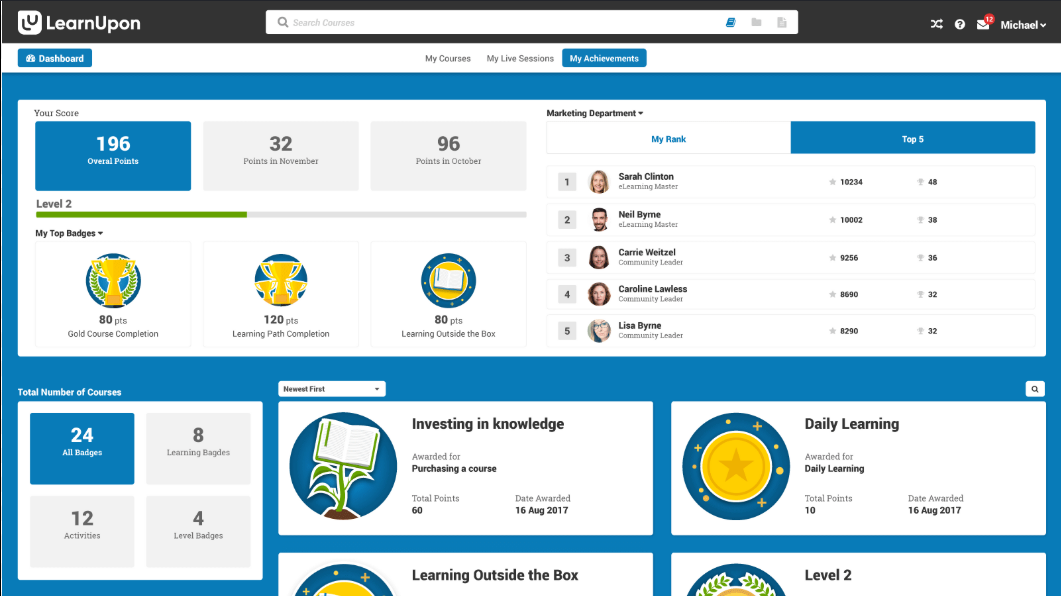
Best for: organizations already comfortable with LMS administration that need to segment training by audience.
6. TalentLMS
TalentLMS's standout structural feature is its branch system. It enables admins to set up separate sub-accounts, each with their own users, courses, and reporting, run from a single top-level instance. That makes it a reasonable option for organizations managing training across multiple locations, franchises, or business units that need some separation between them without standing up entirely separate platforms.
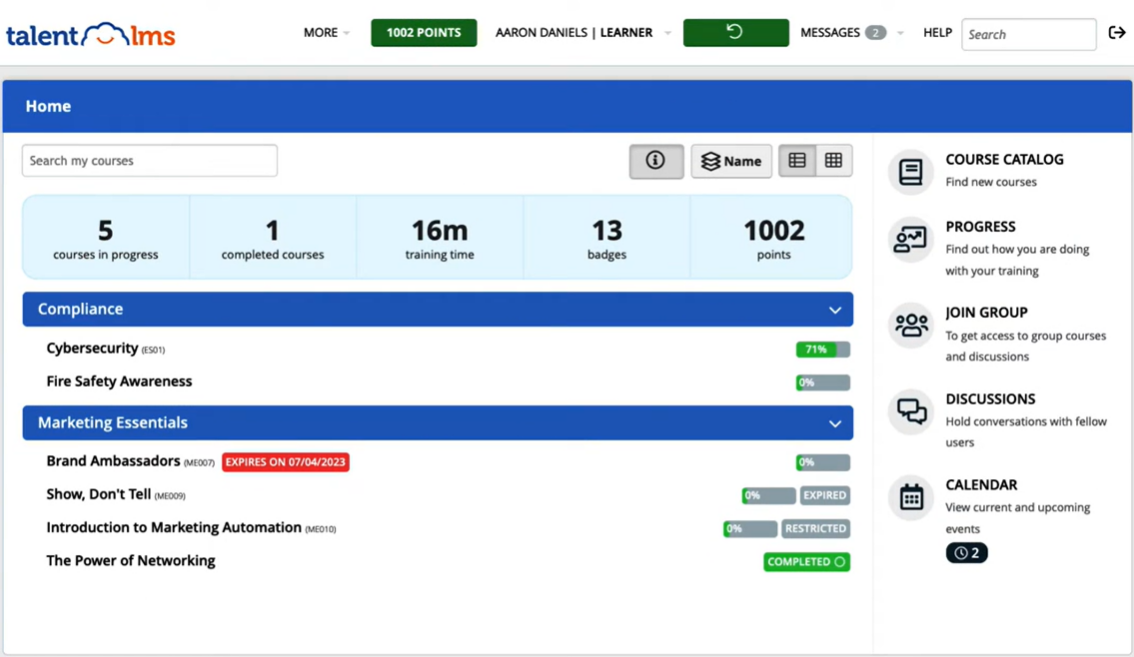
Users on review sites note the interface is straightforward and content variety is broad, while some flag that its free tier is capped at a handful of users and that deeper customization and integrations can require higher-tier plans.
7. Connecteam
Connecteam is built mobile-first for hourly, field, and frontline workforces rather than desk-based knowledge workers, with an entry price point well below most competitors on this list.
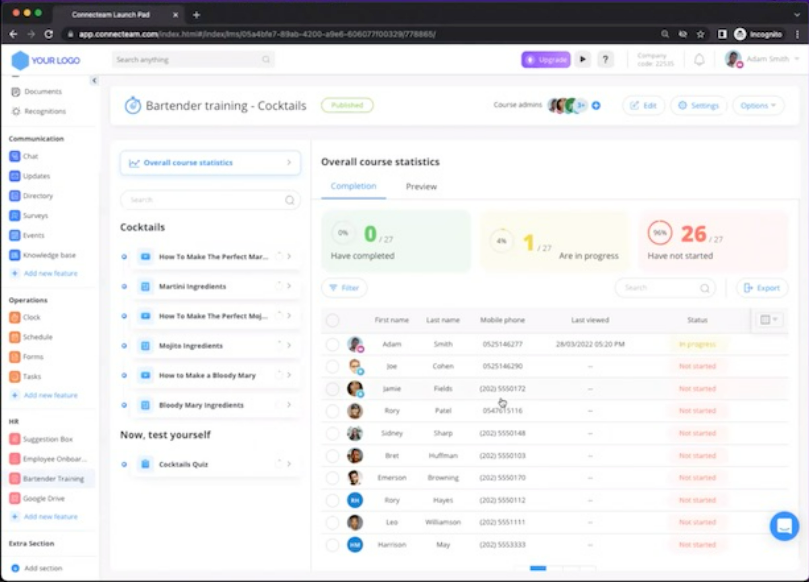
Best for: retail, hospitality, and field service teams where most employees don't sit at a computer.
8. WalkMe
WalkMe is a digital adoption platform, not a course-based LMS — it overlays step-by-step guidance directly inside the software employees already use (a CRM, an ERP, internal tools). It solves a different problem than the rest of this list: getting employees to actually use a system correctly, in the moment, rather than completing a training module about it beforehand.
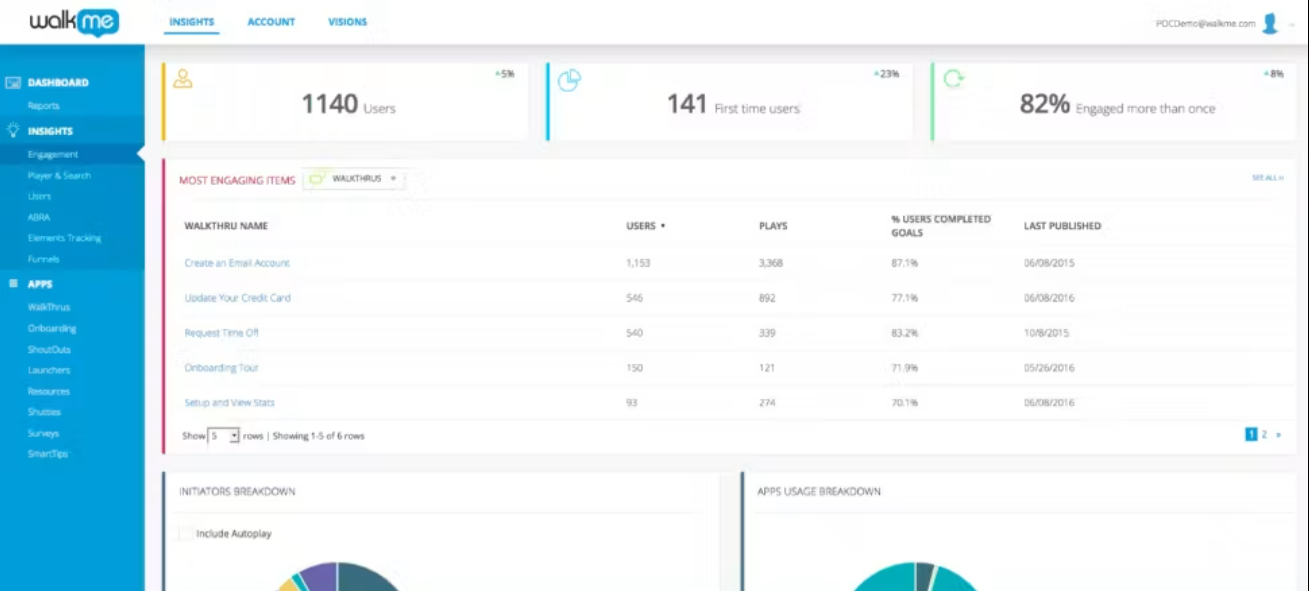
Best for: software rollouts and adoption of specific internal tools, not general skills or compliance training.
9. CYPHER Learning
CYPHER Learning layers points, badges, and recognition mechanics on top of standard LMS functionality, aimed at organizations whose biggest challenge is getting employees to actually engage with assigned training rather than ignore it.
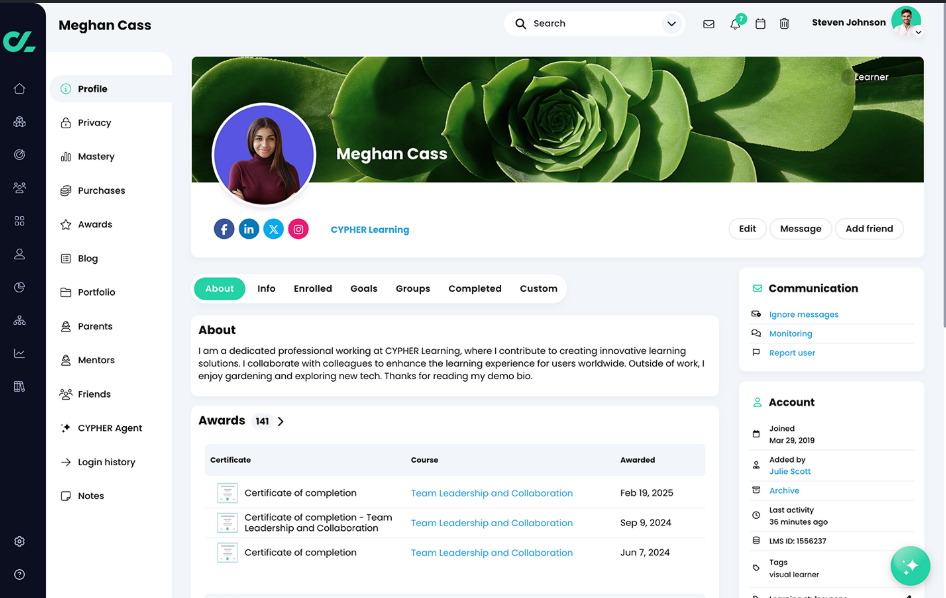
Best for: teams that have tried a standard LMS and found completion rates were the real problem.
What real users value in a training management software
Across G2, Capterra, and Software Advice, a few patterns show up repeatedly regardless of platform:
- Ease of use is the single biggest satisfaction driver. Platforms that win "easiest to use" and "easiest setup" awards tend to also win on overall satisfaction — feature checklists matter less to reviewers than how fast a non-specialist admin can get running.
- Pricing transparency varies a lot. Some platforms publish clear tiers; others push users toward a sales call, and reviewers frequently flag surprise costs from add-ons like content libraries or per-user overages.
- Support quality is a recurring differentiator, especially for smaller teams without an internal LMS administrator — several reviewers specifically credit (or fault) a platform based on how responsive support was during setup, not just the software itself.
- Enterprise-scale platforms trade simplicity for depth. The most feature-rich, AI-driven platforms consistently draw complaints about implementation time and complexity, even from reviewers who rate the actual capabilities highly.
GoSkills is consistently named the easiest-to-use LMS for admins and learners by G2 users.
If you want to go deeper on real-world sentiment before deciding, G2 and Capterra both let you filter reviews by company size and industry, and communities like r/humanresources and r/instructionaldesign on Reddit are active places where L&D professionals swap honest, unsponsored experiences with specific platforms.
Free and affordable corporate training software options
If budget is the main constraint, a few options stand out:
- GoSkills offers a genuinely free-forever plan with unlimited learners, not just a capped trial — a rare structure in this space, since most "free" tiers cap out at a handful of users.
- TalentLMS offers a free forever tier as well, though it's capped at a small number of users and courses, making it enough to test the platform, but not to run a full program.
- Connecteam has a free plan aimed specifically at very small teams.
- ProProfs Training Maker offers a free tier suited to micro-businesses training a handful of learners.
Free tiers are a good way to test-drive a platform's interface and course-building experience, but most cap out quickly on users, courses, or reporting. It makes sense to budget for a paid tier when you're ready to run training for the whole team.
Check out our list of the most affordable LMS options.
How to choose the right training software for your team
- Start with who's actually running training. If it's one person without an L&D background, prioritize setup speed and automation over feature depth.
- Separate "who you're training" from "what you're training on." Internal employees only, or also customers and partners? That alone rules half this list in or out.
- Check the free tier or trial before you check the price page. It tells you more about real day-to-day usability than a features list will.
- Read reviews filtered by your company size. A platform beloved by 500-person enterprises may be genuinely frustrating for a 20-person team, and vice versa.
Employee training software without the headache
Quick setup, easy-to-use, and affordable — no credit card required.
Learn moreFrequently asked questions
1. What is the best employee training software overall?
There isn't a single best option — it depends on whether you have a dedicated L&D team, need to train external audiences, and how much setup time you can invest. Teams without dedicated L&D support tend to do best with simpler, faster-to-launch platforms like GoSkills; enterprises training multiple audiences tend to need Docebo or LearnUpon's added complexity, while multi-location or franchise organizations may lean toward TalentLMS's branch structure.
2. Is there free employee training software?
Yes. GoSkills offers a free-forever plan with unlimited learners; TalentLMS, Connecteam, and ProProfs also offer free tiers or trials, though (unlike GoSkills) these cap out at a small number of users or courses.
3. What's the difference between an LMS and a digital adoption platform (DAP)?
An LMS (like GoSkills, Absorb LMS, or Docebo) delivers standalone courses and tracks completion. A DAP (like WalkMe) provides in-the-moment guidance inside the actual software employees use, without a separate course to complete.
4. How much does employee training software cost?
Costs vary widely by user count and feature tier — most platforms charge per active user per month, with entry tiers in the tens of dollars monthly and enterprise plans quoted individually. Because pricing changes frequently and structures differ (per-user vs. per-active-user, add-on content libraries, etc.), it's worth checking current pricing directly on each vendor's site rather than relying on older comparison articles.
Employee training software without the headache
Quick setup, easy-to-use, and affordable — no credit card required.
Learn moreThis comparison reflects publicly available features, published pricing structures, and aggregated review data at the time of this article's publication. Always confirm current pricing models and features directly with each vendor before purchasing.