
In the modern corporate world, a company’s greatest asset is its collective knowledge. Organizations spend millions designing cutting-edge training programs to upskill their workforces, satisfy regulatory compliance, and onboard new talent. But who ensures that the right course reaches the right employee at the exact right time? Who makes sure that a completed module automatically triggers a compliance certificate or logs data into the company’s HR platform?
If you are an IT professional looking for a people-centric tech role, an HR coordinator with an affinity for data, or an educator searching for a lucrative corporate career path, becoming an LMS administrator could be your perfect next move.
This comprehensive guide breaks down exactly what a learning management system admin does, the skills you need to succeed, salary expectations, and how modern platforms like GoSkills are revolutionizing the workspace for tomorrow’s administrative professionals.
What is an LMS administrator?
An LMS administrator is the internal professional responsible for the day-to-day operations, maintenance, and strategic optimization of an organization’s digital learning platform. They serve as the central hub connecting technical infrastructure, HR stakeholders, executive leadership, and the learners themselves.
Far from just being an IT support ticket handler, a modern LMS specialist manages the digital ecosystem where employee growth happens. When an organization decides to deploy a new cybersecurity training or a leadership development track, the LMS admin configures the audience parameters, sets up the automation workflows, monitors the completion metrics, and translates raw data into actionable insights for leadership.
Think of corporate training as a high-speed train network. While instructional designers and content creators build the luxurious train cars and the beautiful scenery, the Learning Management System (LMS) administrator is the railway architect, dispatcher, and mechanic all rolled into one. They are the operational engine of Learning and Development (L&D). Without them, even the most brilliant training content remains stranded at the station.
Why demand for LMS administrators is skyrocketing
The shift toward hybrid work environments and decentralized global teams has accelerated the reliance on digital training platforms. Companies can no longer rely solely on classroom-style seminars. They need a scalable, always-on digital academy. Consequently, organizations require dedicated specialists who know how to maximize the return on investment (ROI) of their training software.
Learn more: What is a Learning Management System (LMS)?
What does an LMS administrator do?
The daily life of a learning management system admin is varied and dynamic. Rather than being siloed into a single repetitive task, you will sit at the intersection of technology and human capital.
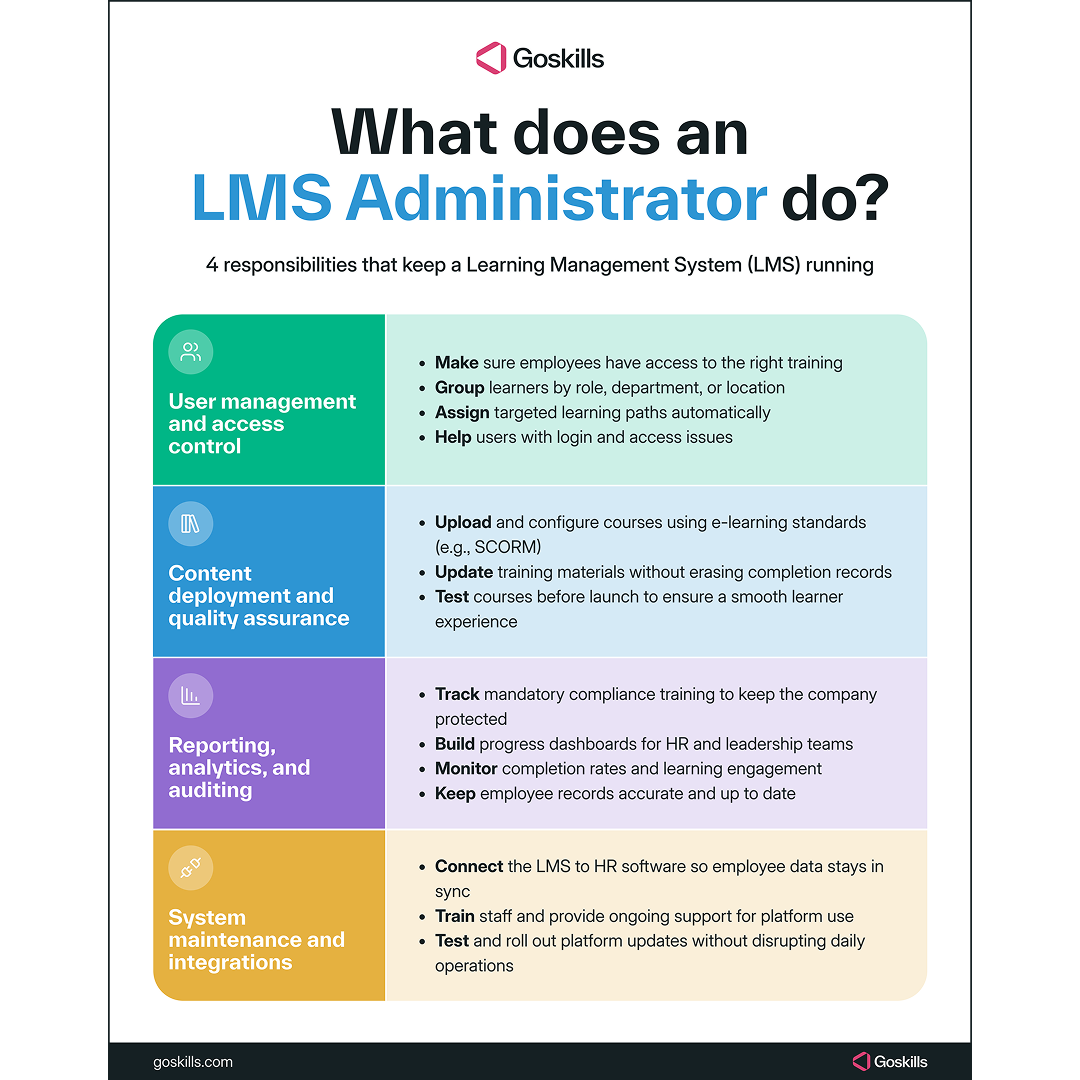
The core LMS admin responsibilities can generally be categorized into four key operational pillars:
1. User management & access control
The foundation of any LMS is its user database. The admin is responsible for ensuring that the right people have access to the right content.
- Provisioning profiles: Creating, updating, and deactivating user accounts manually or via automated data syncs.
- Learning path architecture: Grouping users by department, seniority, or geographical location to assign targeted training tracks automatically.
- Tier 1 troubleshooting: Assisting users who run into authentication issues, forgotten passwords, or accessibility bottlenecks.
2. Content deployment & quality assurance
Before a course goes live to thousands of global employees, the LMS administrator must rigorously test and deploy it.
- Uploading and configuring: Importing course packages using international e-learning standards like SCORM or xAPI.
- Version control: Ensuring that when a policy changes, old training materials are seamlessly replaced by updated modules without wiping out historic completion data.
- User experience (UX) testing: Navigating courses from a learner’s perspective to ensure videos play correctly, quizzes trigger accurately, and completion statuses register as intended.
3. Reporting, analytics, & auditing
Data is the currency of modern L&D teams. Organizations need to know if their training investments are working and if they are legally compliant.
- Compliance tracking: Generating rigorous reports for mandatory trainings (e.g., OSHA regulations, anti-harassment policies, data privacy acts) to safeguard the company from legal liabilities.
- Executive dashboards: Pulling high-level engagement metrics, completion rates, and assessment scores for HR directors and C-suite stakeholders.
- Data hygiene: Regularly auditing user databases to ensure records match active corporate rosters.
4. System maintenance & ecosystem integrations
An LMS does not live in a vacuum; it must communicate harmoniously with an organization’s broader tech stack.
- HRIS/ERP integrations: Coordinating with the internal IT department to ensure the LMS seamlessly pulls real-time employee data from platforms like Microsoft or third-party HR and payroll software.
Platform upgrades: Reviewing new software release notes, testing new features in sandbox environments, and rolling out upgrades to the workforce without disrupting daily operations.
The essential skills every LMS administrator needs
To thrive as an LMS administrator, you need a balanced blend of hard technical capabilities and highly refined soft skills. Employers look for candidates who can untangle a software bug just as easily as they can explain a system change to a non-technical manager.
| Skill Category | Core Competency | Why It Matters |
| Technical | SCORM, xAPI, & AICC standards | Crucial for importing and formatting external courses so they communicate tracking data properly with the platform. |
| Technical | Data management & security | Understanding how data flows, protecting employee privacy (GDPR/CCPA), and executing mass CSV data uploads. |
| Problem-Solving | Software troubleshooting | The ability to replicate bugs, diagnose browser-compatibility issues, and solve system glitches under tight deadlines. |
| Interpersonal | Cross-departmental communication | Translating complex technical jargon into clear, digestible guidance for HR personnel, trainers, and executives. |
| Project Management | Content organization & timelines | Managing simultaneous product updates, course launches, and compliance cycles without losing track of details. |
How to become an LMS administrator: Your career roadmap
Because this role sits at a unique intersection of various fields, there is no single “correct” degree program for it. People enter this profession from all walks of life. If you are looking to make a career pivot, here is a practical, step-by-step roadmap to breaking into the field.
Step 1: Leverage your transferable experience
Look closely at your current career history to identify transferable skills that align with LMS administration:
- If you are in IT support: Highlight your software troubleshooting skills, understanding of cloud platform architecture, and customer service patience.
- If you are an HR coordinator or admin: Emphasize your familiarity with corporate compliance, record-keeping, personnel onboarding, and internal communications.
- If you are an educator or trainer: Focus on your mastery of instructional theory, assessment design, and curriculum structuring.
Step 2: Learn fundamental e-learning frameworks
You do not need to be a full-stack software engineer, but you do need to understand how digital learning files speak to one another. Spend time researching and understanding:
- SCORM (Shareable Content Object Reference Model): The golden standard of e-learning compatibility.
- xAPI (Experience API / Tin Can): The modern standard that tracks learning experiences happening outside of a traditional browser window.
- Data workflows: Practice manipulating large sets of data inside Microsoft Excel using VLOOKUPs and Pivot Tables, as managing user rosters via spreadsheet uploads is a daily staple of the job.
Step 3: Gain practical experience on a modern platform
The catch-22 of any career pivot is needing experience to get hired, but needing a job to get experience. You can easily bypass this hurdle by experimenting with modern, accessible SaaS learning architectures.
Instead of trying to learn an expensive legacy platform hidden behind an enterprise corporate wall, find an agile, modern ecosystem where you can practice setting up accounts, building courses, tracking progress, and interacting with automated learning loops firsthand.
How GoSkills simplifies LMS administration
Historically, being an LMS administrator was notoriously difficult. Legacy systems built in the early 2000s were complex, clunky, and counterintuitive. Admins often spent their entire day drowning in code, writing custom scripts just to generate a basic spreadsheet, or fighting with unintuitive user interfaces that required months of specialized training to master.
Fortunately, modern corporate education has evolved, and platforms like GoSkills are completely redefining the LMS specialist job description.
Instead of acting as a firefighter constantly putting out technical blazes caused by rigid software, an admin utilizing the GoSkills LMS operates as a high-level strategic partner. Here is how GoSkills transforms the daily admin workflow:
Intuitive interface
The GoSkills LMS is built with an elegant, minimalist philosophy. Admins no longer need to navigate through endless, nested sub-menus just to assign a single course.
The GoSkills administration panel gives you complete visibility over your teams, courses, and analytics through a beautiful, clean layout. Creating custom teams, setting up auto-enrollment rules based on job titles, and assigning specific learning paths takes a matter of clicks, not hours.
AI-assisted management & native content tools
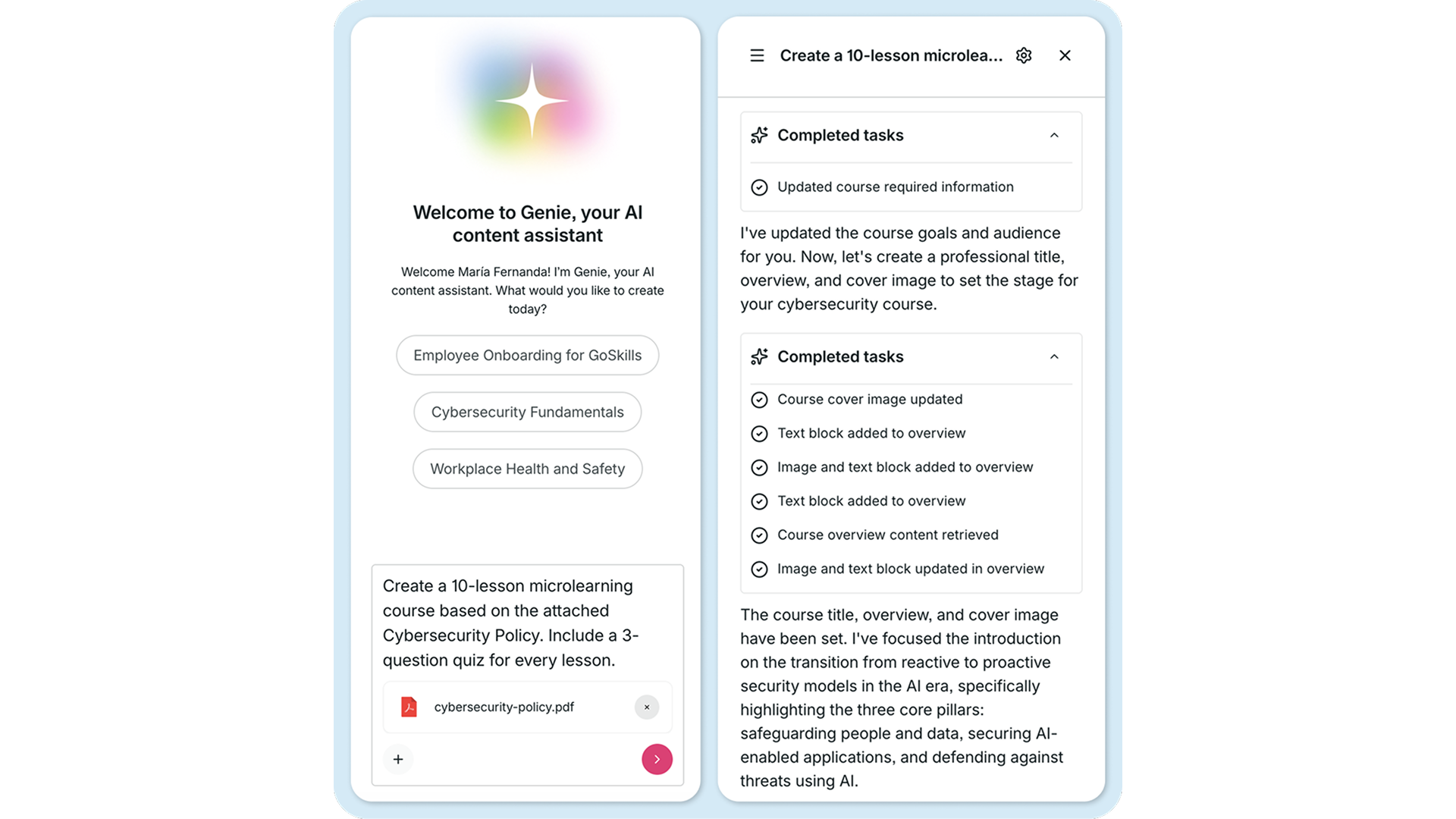
Traditional LMS admins often lose days formatting, resizing, and converting course packages delivered by instructional designers. GoSkills removes this friction entirely with its built-in Course Builder and AI assistant.
With these tools, admins can effortlessly modify courses, generate quiz questions using AI, or adjust layouts right inside the platform. This shifts your value from simple manual data entry to optimizing learner engagement and analyzing strategic training insights.
Crystal-clear analytics dashboards
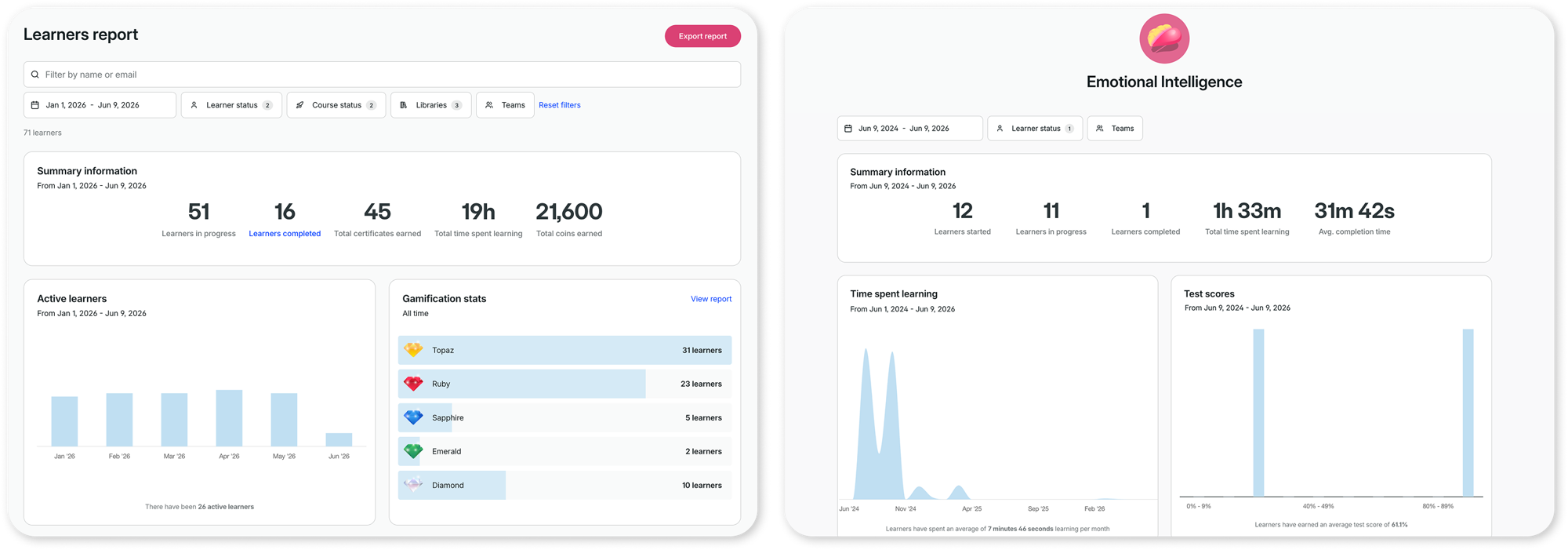
Say goodbye to complex SQL database queries just to prove your team finished their compliance training. GoSkills offers beautifully visualized, real-time analytics dashboards. At a single glance, you can track progress, view course ratings, pinpoint where learners are getting stuck, and export immaculate visual reports ready for your next executive board meeting.
A better way to train
It's easier than ever to create, track, and manage team training with the GoSkills LMS.
Start for freeClosing thoughts: Becoming an LMS leader
The role of an LMS administrator is dynamic, secure, and increasingly vital to the corporate world. As companies scale their remote workforces, the professional who keeps the digital training engine running smoothly will always be a highly valued asset.
By pivoting into this career, you step out of repetitive entry-level tasks and become the architect of organizational growth. And with modern, cloud-based tools like GoSkills leading the market, managing an LMS has never been more intuitive, rewarding, or impactful.
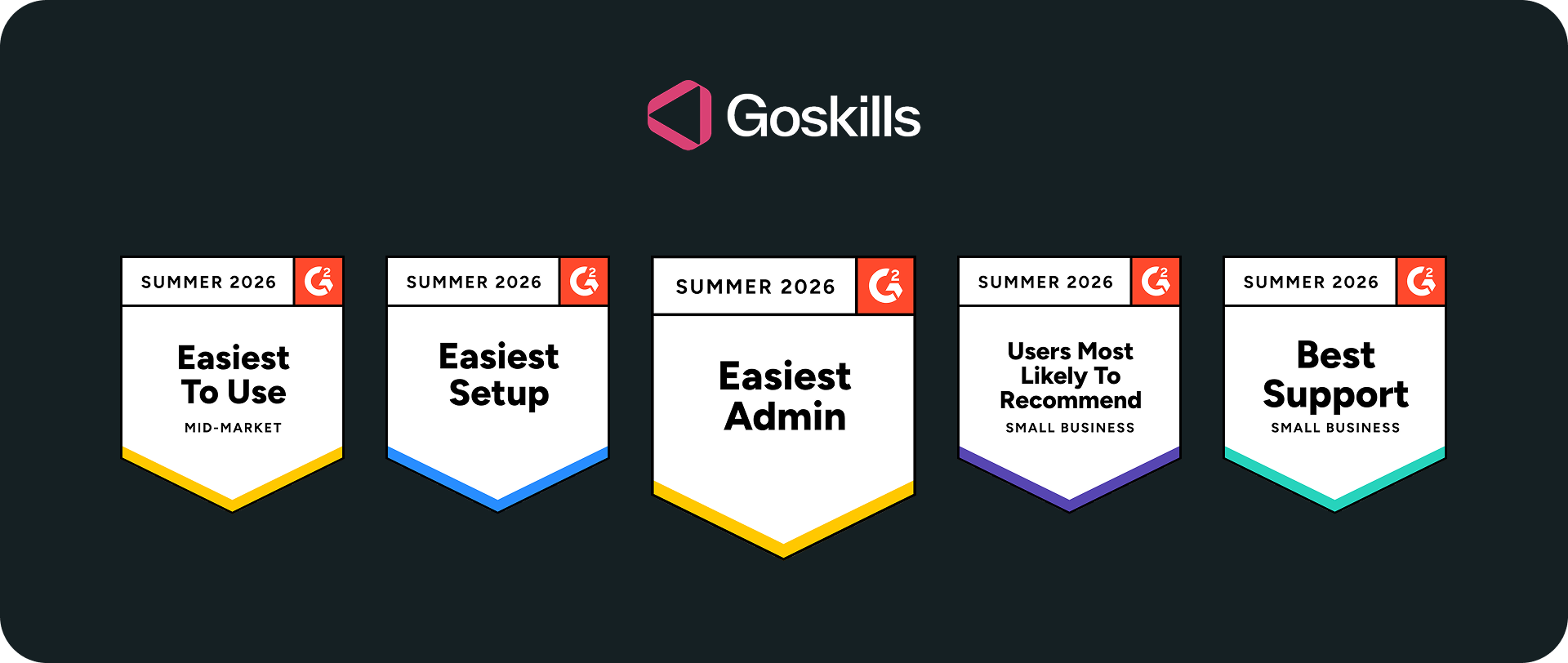
Ready to see what an accessible, award-winning learning ecosystem looks like? Whether you are a business leader looking to optimize your team's training or an aspiring professional wanting to explore an admin interface firsthand, we have you covered.
Start your free trial with GoSkills today and experience firsthand how simple, intuitive, and powerful modern learning administration can be.