
TL;DR: When choosing a learning management system (LMS), focus on ease of use, mobile compatibility, integrations, assessment tools, reporting, pricing transparency, and customer support. The right LMS for your organization depends on your team size, budget, and training goals.
If you’re wondering how to choose an LMS or what to look for in an LMS, you’re in the right place.
The truth is, there isn’t a one-size-fits-all answer. The best LMS depends on your organization’s goals, learners, budget, and training needs.
This guide walks you through 12 of the most important LMS features and buying considerations to evaluate today, helping you make a confident decision.
But before we dive in, let’s quickly cover the basics:
- What is an LMS? A learning management system (LMS) helps you create, deliver, manage, and track online training from one central platform.
- What are the benefits of an LMS? An LMS streamlines training administration, tracks learner progress, improves engagement, and helps organizations deliver consistent learning experiences at scale.
- Who needs LMS software? Businesses of all sizes, educational institutions, government agencies, nonprofits, and associations can all benefit from using an LMS to manage onboarding, compliance, employee development, customer education, and more.
- What types of LMS are available? There are several types of LMS platforms designed to suit different budgets and business needs, including cloud-based LMS, self-hosted, open-source, and free LMS software.
Must read: Compare top LMS systems and their use cases
12 features to consider when choosing an LMS
Here are 12 essential features to look for in an LMS for the modern workplace:
- Mobile compatibility
- Ease of use
- Microlearning
- Built-in gamification
- Assessment tools
- Integration with existing platforms
- Pricing and licensing structure
- White-labeling and customization
- Reporting features
- Customer support
- Security standards
- Scalability and future-proofing
1. Mobile compatibility
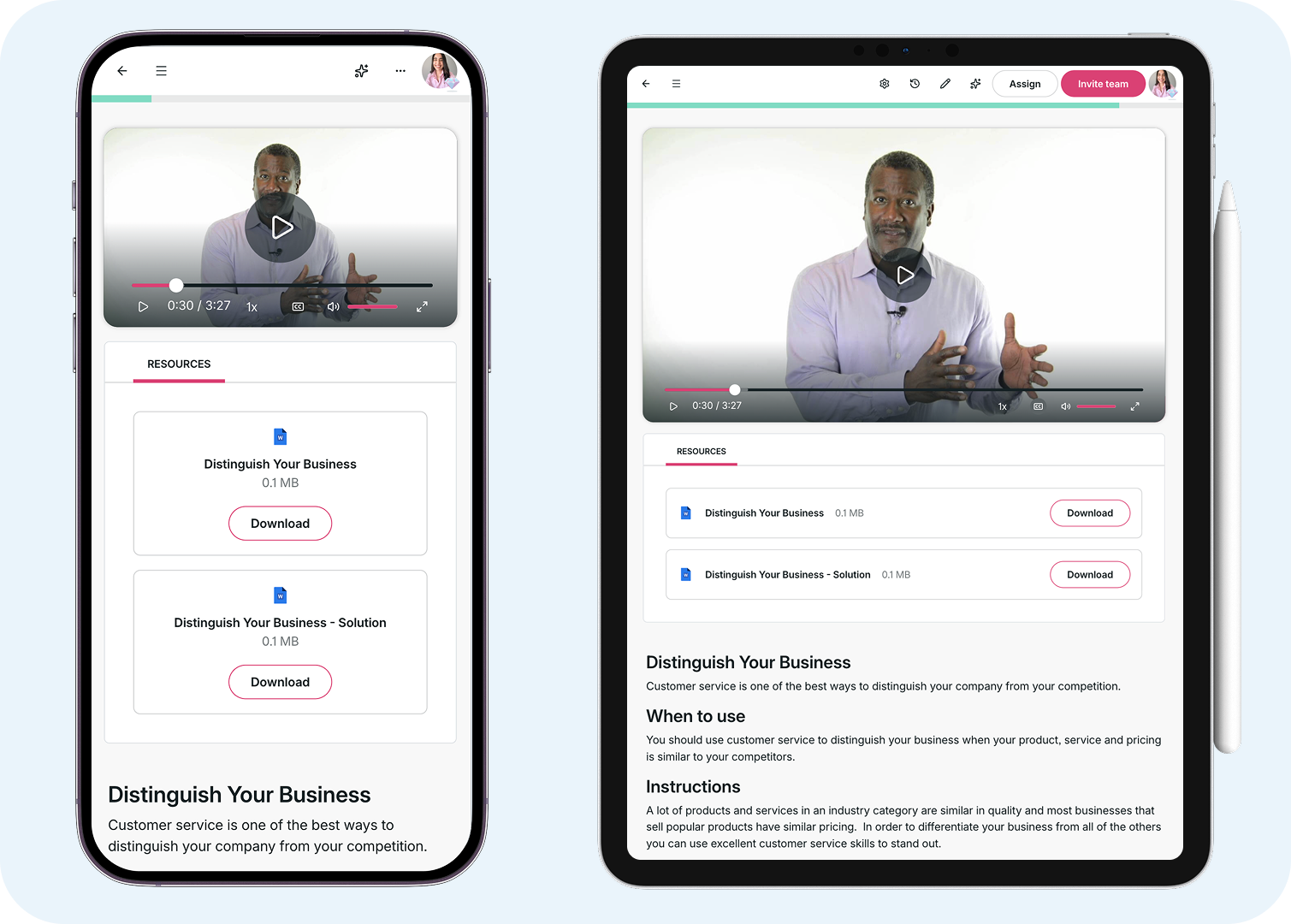
A good LMS should work seamlessly on mobile, allowing learners to train anytime, anywhere. If you want high course adoption, choose an LMS that works across all devices, including smartphones and tablets, and supports offline access when needed.
Today’s learners expect the flexibility to complete training whenever it fits their schedule, whether that’s during their commute, while traveling, or from the comfort of home. If your LMS isn’t mobile-friendly, engagement and course completion are likely to suffer.
Look for a platform that automatically adapts to different screen sizes and delivers a consistent learning experience across every device.
2. Ease of use
An easy-to-use LMS matters for both administrators and learners. Once you’ve found a mobile-friendly LMS, consider its user interface (UI) and user experience (UX). Unsurprisingly, 88% of online users claim they wouldn’t revisit a site after a bad UX. Your LMS users are likely to feel the same way.
The platform should be intuitive and accessible for administrators, without requiring extensive training. As you evaluate different LMS options, involve your learning and development team in demos and trials. Would they feel confident using the platform to create and manage high-quality training?
Just as importantly, the LMS should be straightforward for learners to navigate. How long does onboarding take? Can learners easily find, access, and complete their courses? Even the most feature-rich LMS won’t deliver results if employees struggle to use it.
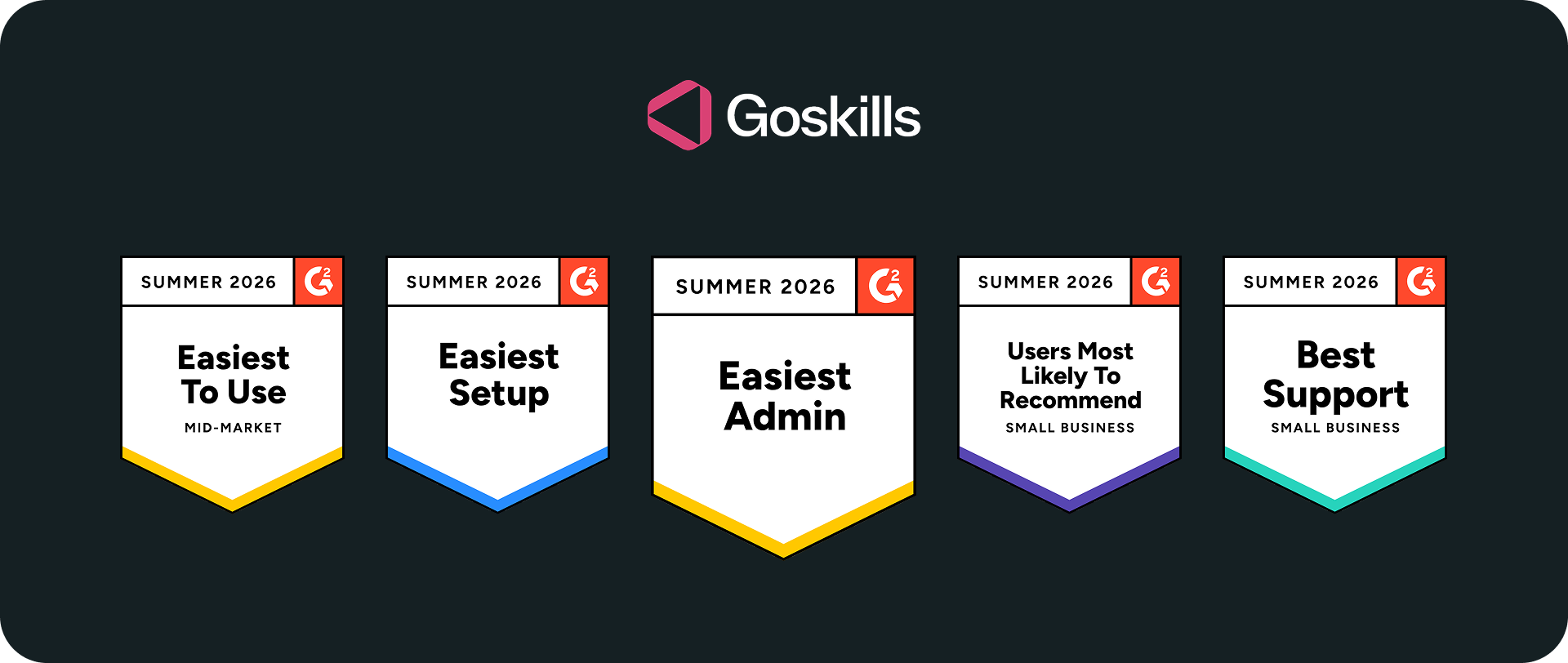
GoSkills is a great example. G2 has consistently recognized it with its Easiest to Use, Easiest Setup, and Easiest Admin badges, reflecting its intuitive experience for both administrators and learners.
3. Microlearning
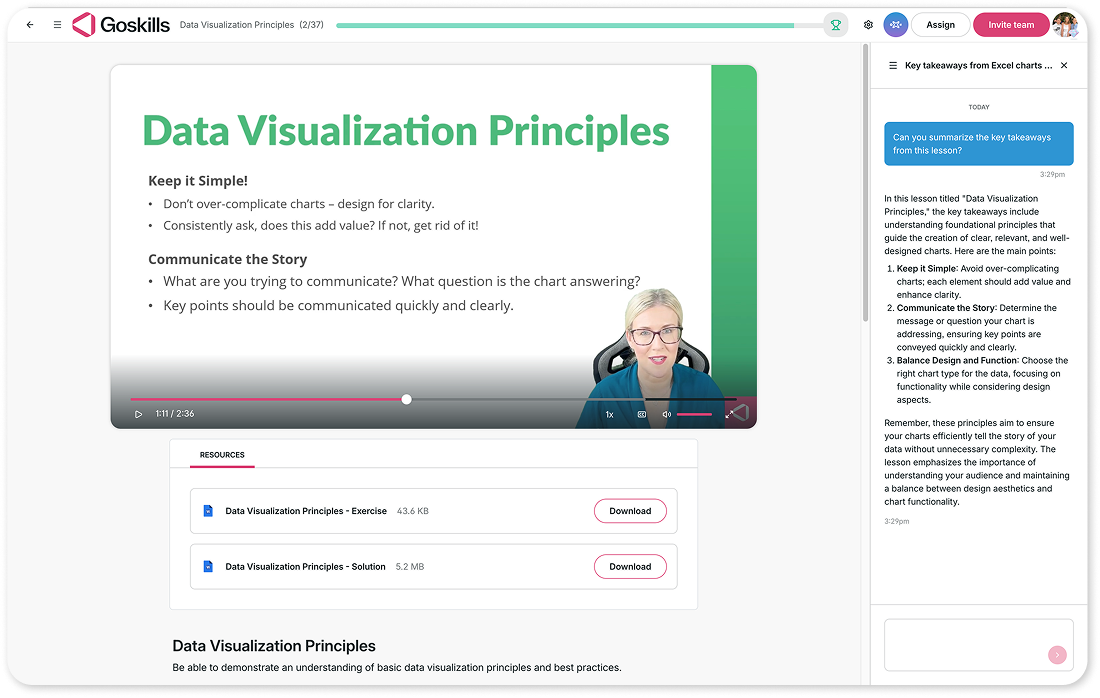
A modern LMS should make it easy to deliver short, focused learning experiences that employees can complete in minutes instead of hours.
Microlearning helps learners fit training into their workday, improving course completion and knowledge retention. Look for an LMS that supports bite-sized lessons, videos, quizzes, and other short-form content. It should also make it easy to organize longer courses into smaller learning modules and let learners pick up where they left off on any device.
Combined with a mobile-friendly learning experience, microlearning makes training more accessible, engaging, and easier to complete.
4. Built-in gamification
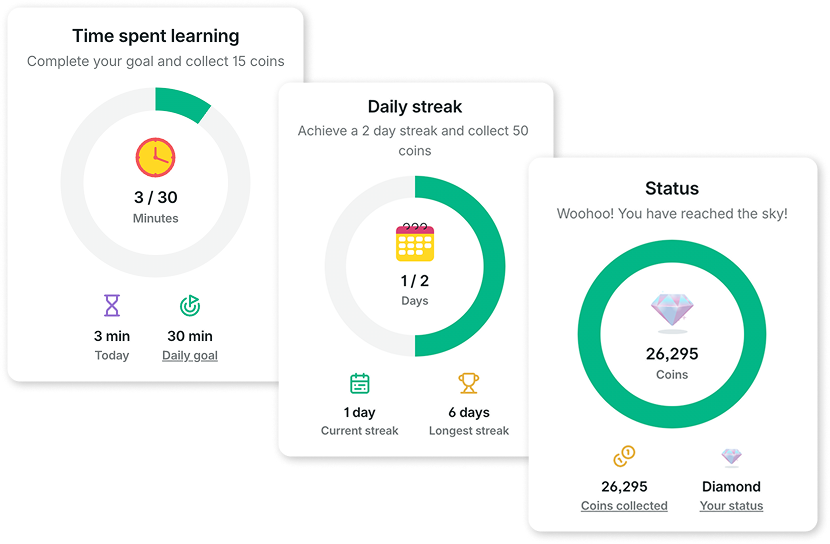
Gamification can make workplace learning a lot more engaging. It’s fun, it’s motivating, and it taps into our natural desire for achievement and friendly competition. Neuroscientists have discovered that game-like elements can trigger feel-good chemicals in the brain.
Not only will your workforce spend more time using an LMS that incorporates an element of competition, but they’ll also retain more information, develop more skills, and complete more courses — it’s a win-win. An LMS with built-in gamification tools might feature leaderboards, awards, badges, or a points system.
5. Assessment tools
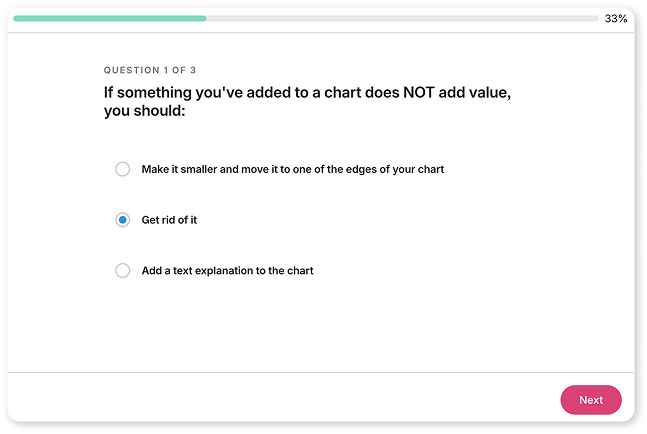
Your LMS should track and report on learner activity, including course progress, completion rates, time spent learning, and assessment results. It should also make it easy to create and assign formal assessments such as quizzes, training exercises, written exams, and situational judgment tests.
Whether learners are earning a certification, completing compliance training, or demonstrating new skills, assessments help measure knowledge, track progress, and provide timely feedback. They also give managers and learning teams the insights they need to identify skill gaps, monitor performance, and support employee development.
6. Integration with existing platforms
Your LMS should integrate seamlessly with the tools your organization already uses. The goal isn’t to replace your existing systems, but to connect them so training fits naturally into your employees’ daily workflows.
Look for an LMS that integrates with your HR software, communication tools, productivity apps, and identity providers. Features like single sign-on (SSO) simplify access by letting users sign in with a single set of credentials, while APIs and webhooks enable real-time data sharing between your LMS and other business systems.
7. Pricing and licensing structure
Before you start comparing LMS providers, establish your budget and pricing requirements. Costs vary significantly between vendors, so it's important to understand each provider’s pricing model, licensing structure, and any additional fees. If you're evaluating options for a smaller team, it’s also worth comparing affordable LMS solutions that can scale as your organization grows.
Ask each vendor:
- Do you offer an LMS free trial or a free plan?
- Do you offer monthly or annual pricing?
- How is pricing calculated (per user, per team, or by feature)?
- Are there any setup, implementation, or additional fees?
- Are there limits on the number of users, courses, or storage?
- Which features are included, and which require an upgrade?
- What is your cancellation policy?
GoSkills is a good example of flexible, transparent pricing. It offers a free plan and tiered pricing starting with as few as five licenses, making it easy for organizations to get started and scale over time.
8. White-labeling and customization
You don’t want to implement an LMS with an aesthetic that is incompatible with your organization’s brand.
A white-label LMS will enable full customization of your platform to align with your organization’s color scheme and style and incorporate other key branding features like logos and icons. Aim to achieve cohesion across your platforms and enable your eLearning team to develop courses and material that reflect your organization’s style and brand voice.
9. Reporting features
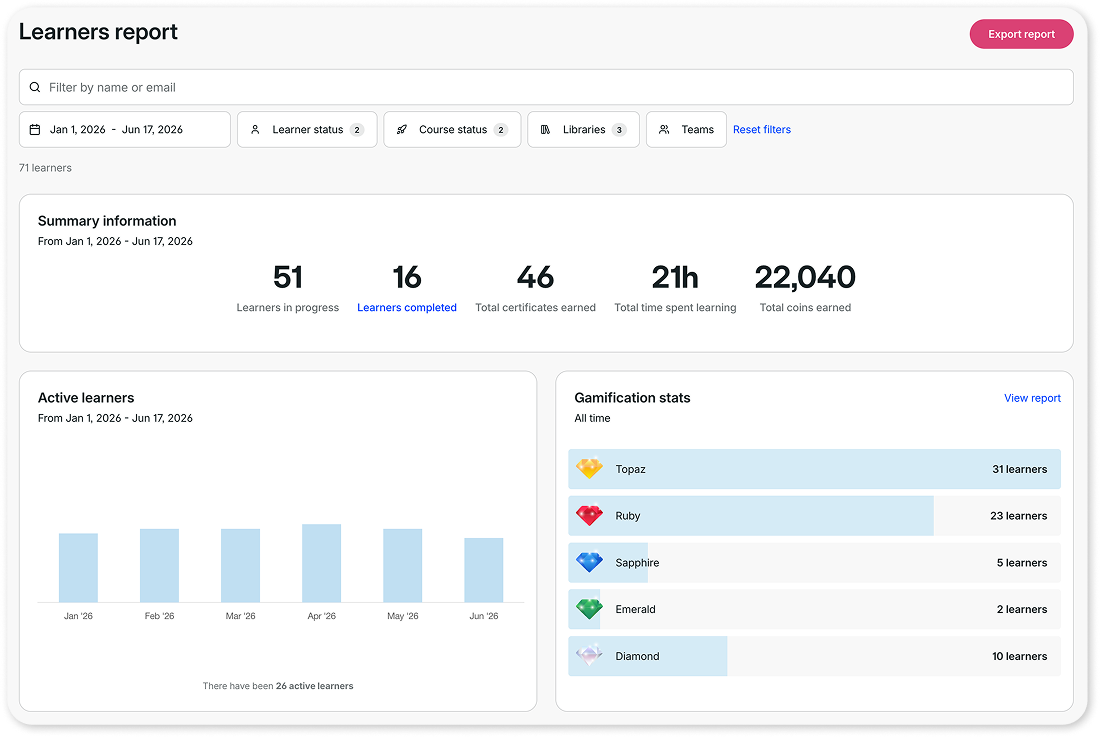
Most LMS platforms include built-in reporting features, but not all reporting tools are created equal. Look for an LMS that lets you track the metrics that matter most to your organization and customize reports for different teams and stakeholders. The right reporting tools can help you identify trends, measure training effectiveness, and improve your L&D program.
For example, managers and learning and development professionals may want automated reports showing learner progress, course completion rates, assessment results, time spent learning, login frequency, and compliance status. The best LMS reporting tools make it easy to monitor performance, identify skill gaps, and make informed training decisions.
10. Customer support
Responsive customer support can make a big difference, especially during implementation and rollout. As you evaluate LMS providers, ask what support channels they offer, their response times, and whether help is available when your team needs it most.
It’s also worth assessing the platform’s reliability. How often does the vendor experience downtime? Do they have clear disaster recovery and business continuity plans? And what do existing customers say about their support experience?
The best way to answer these questions is to read reviews from current customers. Have support requests been resolved quickly and effectively?
GoSkills, for example, has consistently been recognized by G2 with its Best Support badges, highlighting its reputation for responsive customer support.
The customer service at GoSkills is unmatched. Their team, top to bottom, provides the highest quality of service. Everyone feels like they are GoSkills’ biggest customer. Their willingness to adapt to customer needs through software changes and developments has provided so much value. I look forward to seeing how GoSkills will continue solving my needs.
— G2 reviewer
11. Security standards
Cybersecurity is a top priority for many organizations. But there’s little point in strengthening your internal security if your LMS vendor doesn’t meet the same standards.
Ask prospective vendors how they protect your organization’s and learners’ data. What security and encryption protocols do they use? Do they comply with industry-recognized security standards?
Platforms like GoSkills are SOC 2 Type II certified, one of the most widely recognized standards for data security in cloud-based software.
12. Scalability and future-proofing
It’s tempting to choose the most feature-rich LMS available, but more isn’t always better. Paying for functionality you don’t need can increase costs, slow adoption, and make the platform more difficult for administrators and learners to use.
Instead, choose an LMS that meets your current needs while giving you room to grow. Look for flexible pricing, scalable plans, and the ability to add users, features, and content as your training program evolves.
It’s also worth considering how frequently the vendor updates its platform. Regular product improvements, new features, and emerging technologies like AI can help future-proof your investment. LMSs like GoSkills combine flexible pricing with continuous innovation, making it easier to scale your training over time.
How to choose an LMS: Start with your needs
Before you start comparing LMSs, it’s worth getting clear on what your organization actually needs. The smartest LMS buyers don’t start with a feature checklist. They start with their goals.
Here are the key questions to work through first:
- What skills or qualifications do you want your workforce to develop?
- Will your LMS need to support employees across multiple locations or countries?
- What’s your overall budget?
- What are the strengths and weaknesses of your current learning and development strategy?
- What level of technical expertise does your learning and development team have?
- What does your learning and development team expect from an LMS?
Once you’ve answered these questions, it becomes much easier to compare LMS providers and prioritize the features that matter most to your organization.
Choosing the LMS That’s Best For You
Learn how to evaluate learning management systems against your unique needs.
Frequently Asked Questions (FAQs) about choosing an LMS
What is the most important feature to look for in an LMS?
There’s no single answer. It depends on your organization’s goals. That said, ease of use consistently ranks as a top priority for most teams. If administrators can’t manage training efficiently and learners can’t navigate the platform intuitively, no other feature matters. From there, the most important features depend on whether your priorities are compliance training, mobile learning, reporting, or integrations.
How do I choose the right LMS for my organization?
Start by defining your learning goals, audience, and budget before comparing platforms. Identify your must-have features, nice-to-haves, and dealbreakers. Then shortlist two or three vendors, request demos, and pilot your top choice with real users before committing.
What is the best LMS for small businesses?
The best LMS for a small business is one that’s quick to set up, easy to manage without a dedicated IT team, and transparently priced with no long-term contracts. If you’re evaluating LMSs for a smaller team, start with our guide on how to choose an LMS for small business, then explore our comparison of the best LMS platforms for small businesses for a detailed breakdown.
How much does an LMS cost?
LMS pricing varies widely depending on the vendor and pricing model. Some platforms charge per user per month, others offer flat-rate annual plans, and some, like GoSkills, offer a free plan for smaller teams. Hidden costs to watch out for include implementation fees, premium support, and content library add-ons. Before signing, ask for a total cost of ownership estimate that covers both your current needs and future growth.
What’s the difference between an LMS and an LXP?
A Learning Management System (LMS) is primarily designed for administrators to assign, manage, and track training. A Learning Experience Platform (LXP) is more learner-driven, using AI to personalize learning and recommend relevant content. Some modern platforms, including GoSkills, combine both approaches by offering robust administrative tools alongside AI-powered personalization.
Ready to find the right LMS for your team?
Not sure which LMS is right for your organization? Start with our interactive LMS quiz to get a personalized recommendation based on your training needs.
If you’re ready to explore, create a free GoSkills business account and see the platform for yourself. Or, if you’d rather talk it through, book a demo with our Customer Success team to discuss your training goals.